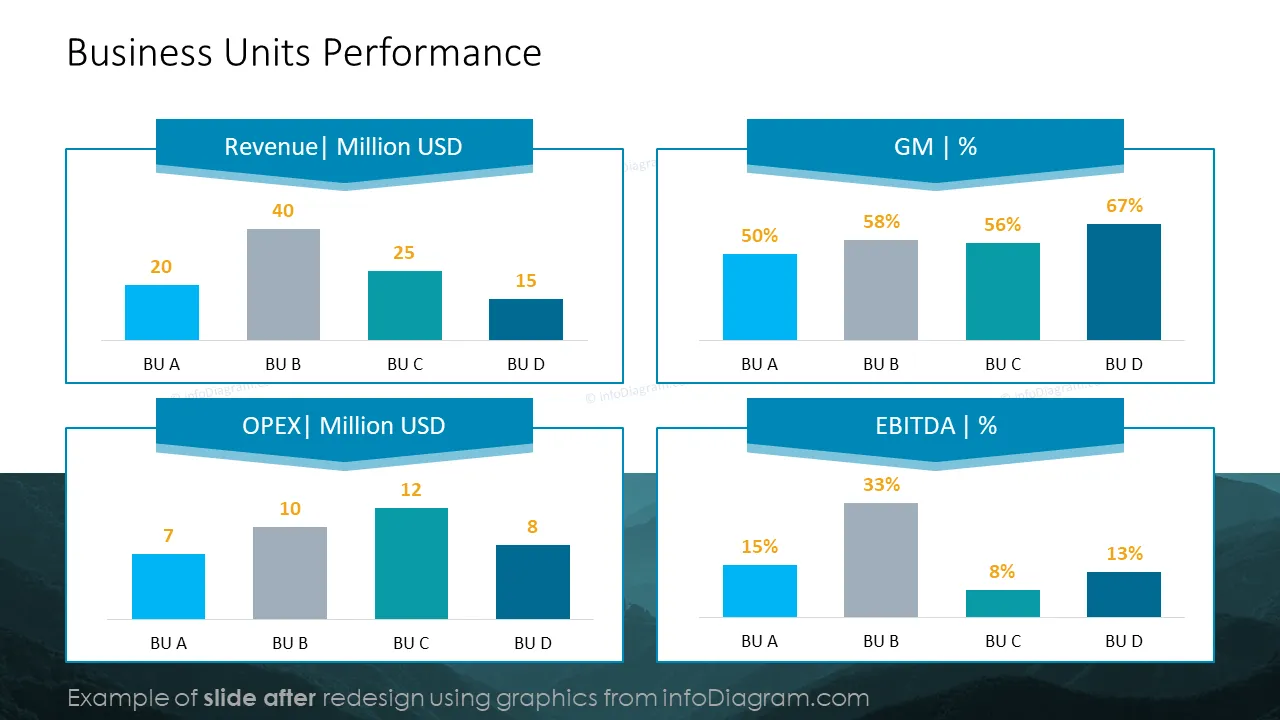
Do you need to track the progress of your business and last month's performance against your business objectives? Use our ready-content deck to show your results with powerful data visualizations that allow you to present your numbers in an attractive and eye-catching format.
This Monthly Business Report with Financial Performance Review template contains slides with the following:
- 33 diagrams illustrating various issues related to financial report
- 50 icons illustrating performance review: Financial Summary, Financial Results, Product Sale, Management, and Plan
- Instruction on modifying those diagrams using standard PowerPoint editing tools.
This PowerPoint slide deck is designed in an elegant flat style with colorful vector illustrations and outline icons. All graphic shapes can be recolored and resized without quality loss.
Authors of this Financial Report Listed template
What is a MBR?
A monthly business report (MBR) is a structured presentation in which an organization assesses its performance, reviews vital metrics, and evaluates progress toward strategic goals every month.
Why use a PowerPoint presentation format for financial reporting?
Monthly management reports are reviews and assessments of the company’s financial and operational performance. They enable the management team to track the past and present performance of the company and assist in making informed business decisions. If you would like to track your performance against your business objectives appealingly, use our slides, which are very easy to edit/add personalized comments to. We include detailed instructions on altering the charts, diagrams, and icons' content, values, colors, and look and feel.
Where can you use the graphics from the MBR diagram?
Using infographics in your monthly performance follow-up will help you organize information in a visually appealing format and present your numbers in a compelling way that is easy for your audience to understand.
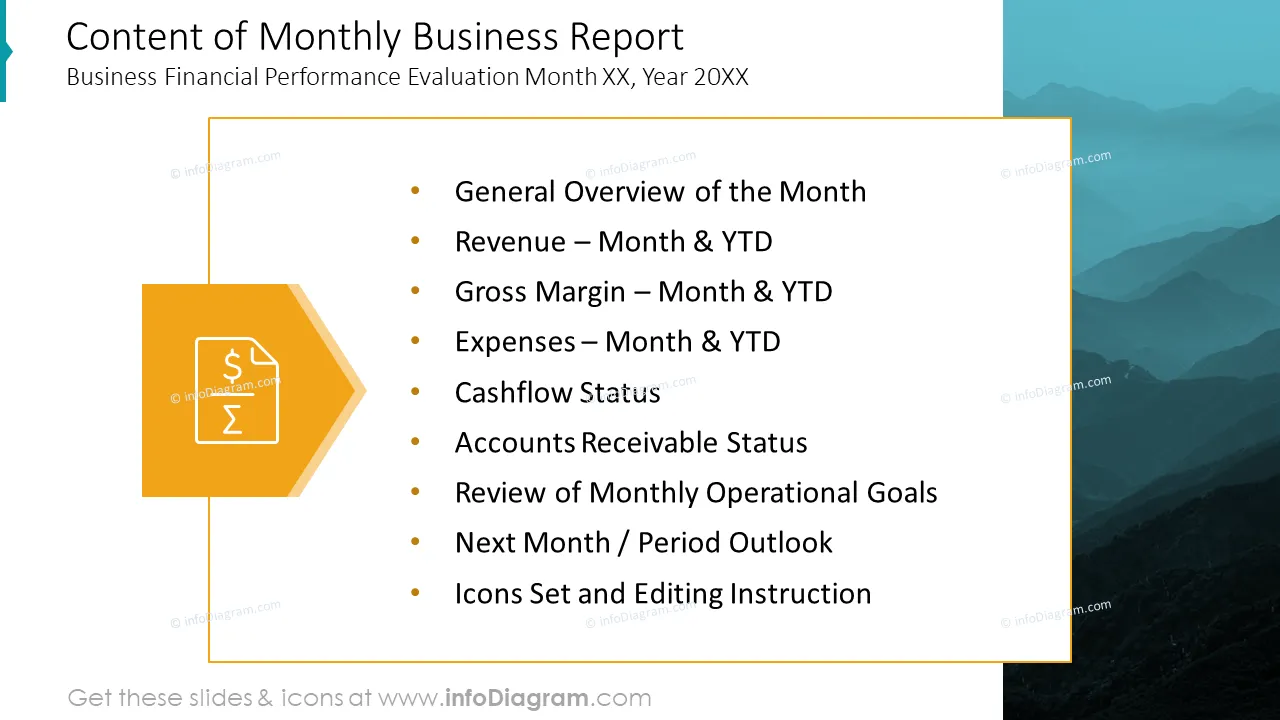
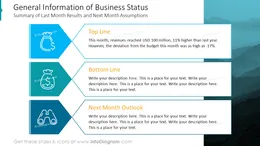
- Summarize the top and bottom lines results of the previous month and define your next period expectations.
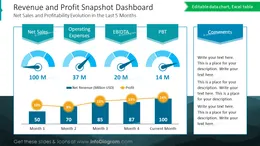
- Assess your company’s overall financial performance by adding relevant comments in a pre-designed box.
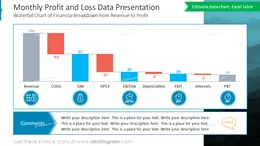
- Present your P&L; in an attractive waterfall format that allows you to see the elements impacting your profit.
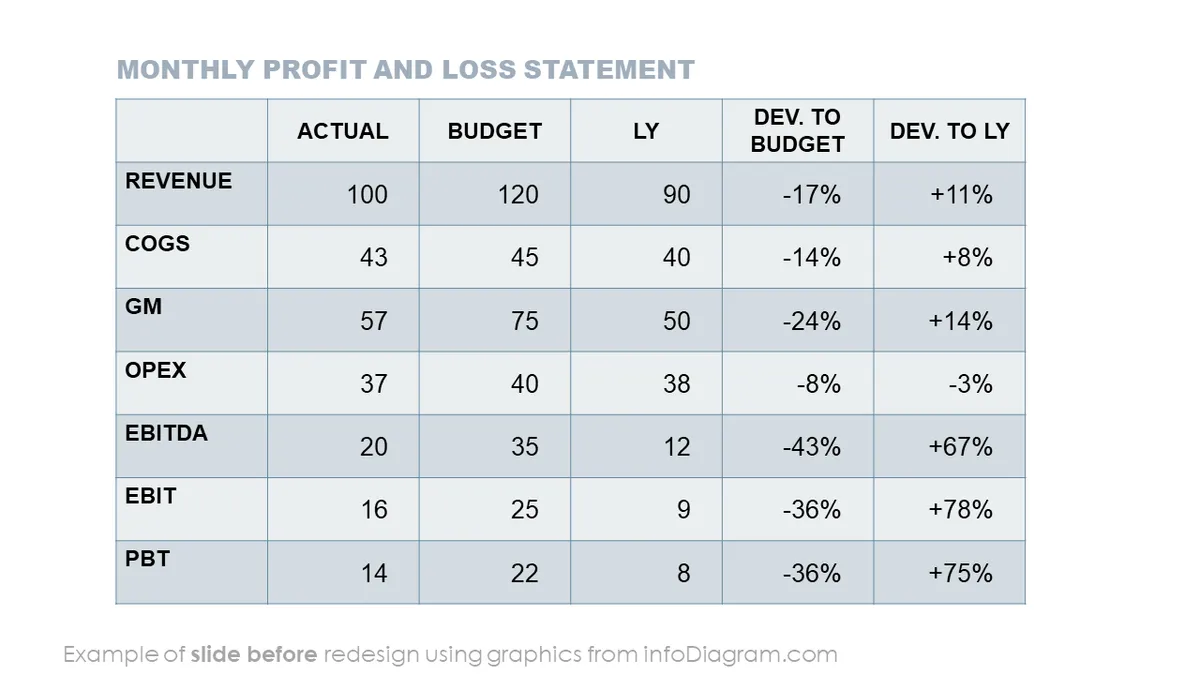
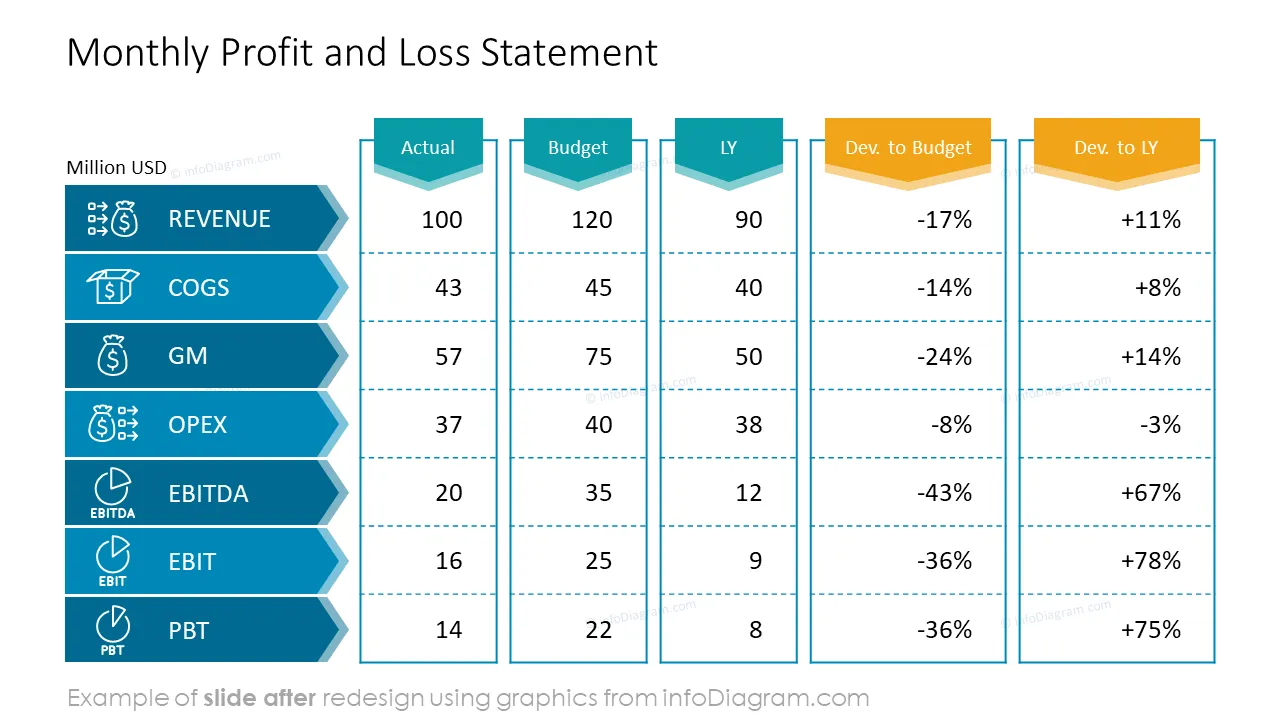
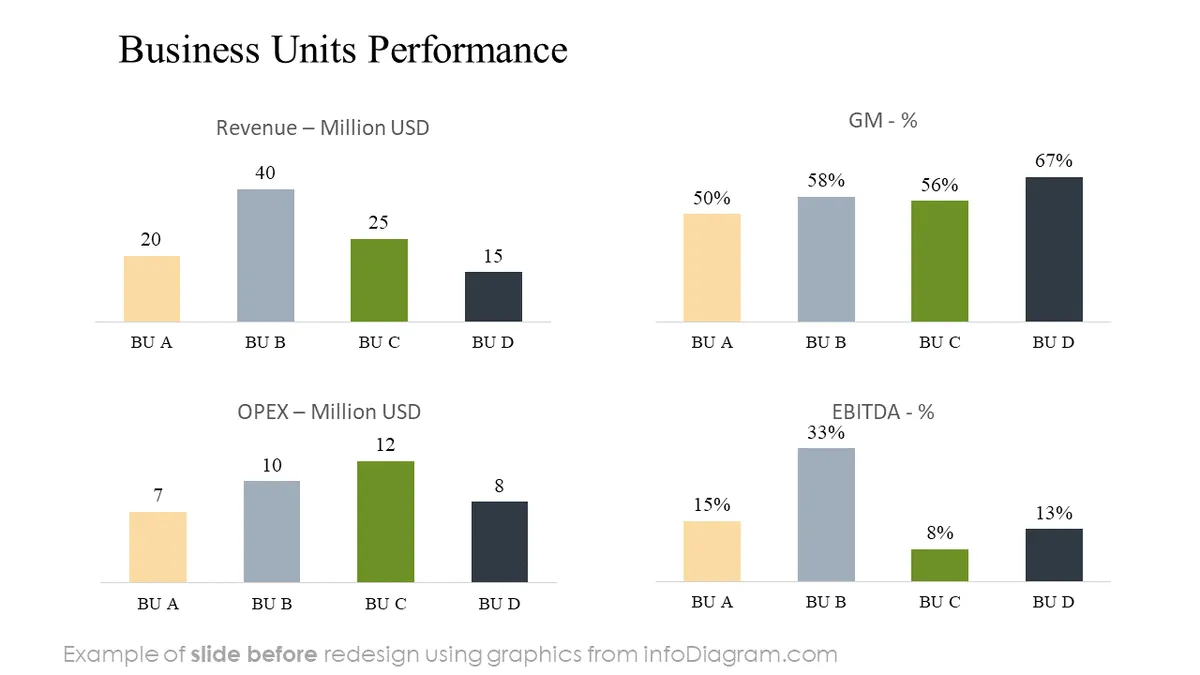
- Benchmark your company’s actual performance—both last month's and year-to-date results against expected performance, meaning versus budget and last year's figures. This will show the overall picture and compare various business units.
- Deep-dive into your revenue results, analyzing main growth drivers in the form of a nice stacked chart or your sales distribution breakdown visualized in a column and pie chart, respectively, for various geographical regions and product categories. On top of that, indicate left-to-gap numbers to reach your budgeted turnover.
- Evaluate your gross margin by business line commenting key variations compared to last year’s achievements.
- Use a waterfall chart table to visualize the main factors impacting GM deviation from budget.
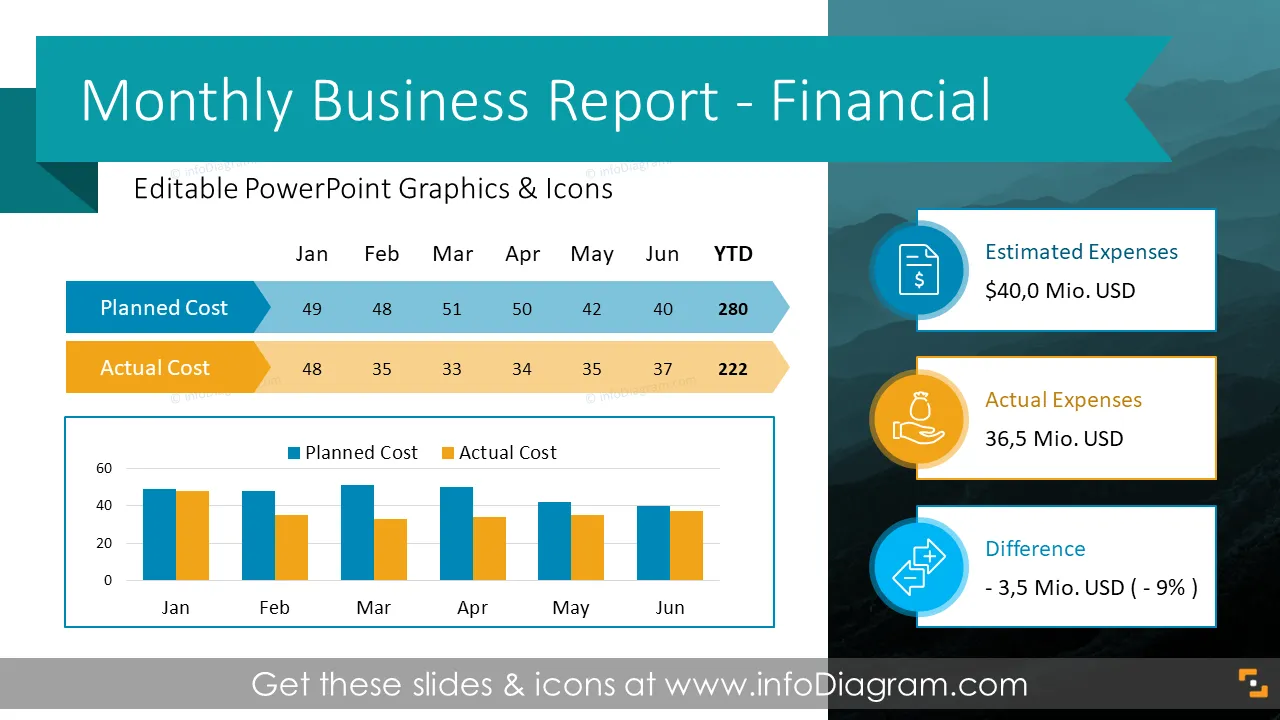
- Analyse your past month's expenses in a nice pie chart showing different cost categories shares, presenting actual figures versus estimate/budget split per cost centers, or drafting monthly trend overview – you can use the pre-designed layouts for analysis of the month or YTD figures.
- Add an accounts receivable section to your monthly business review illustrating your current A/R situation. Review your receivables data in a dashboard template showing your DSO and outstanding amounts by status or age and listing your 5 top debtors.
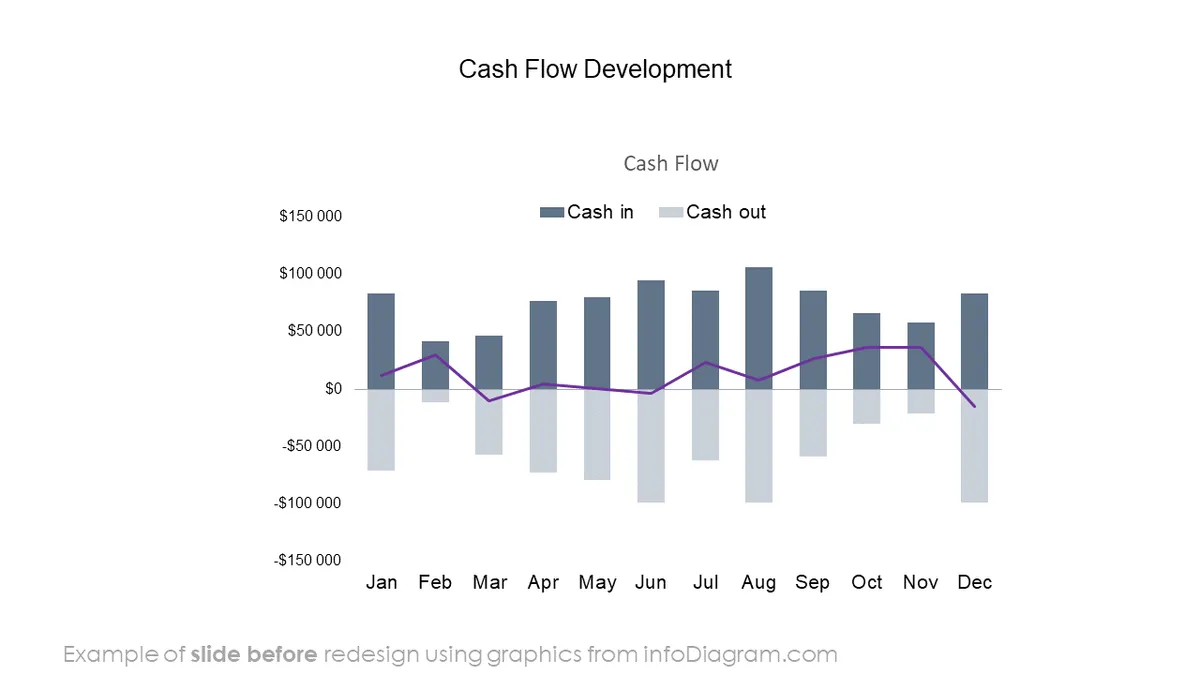
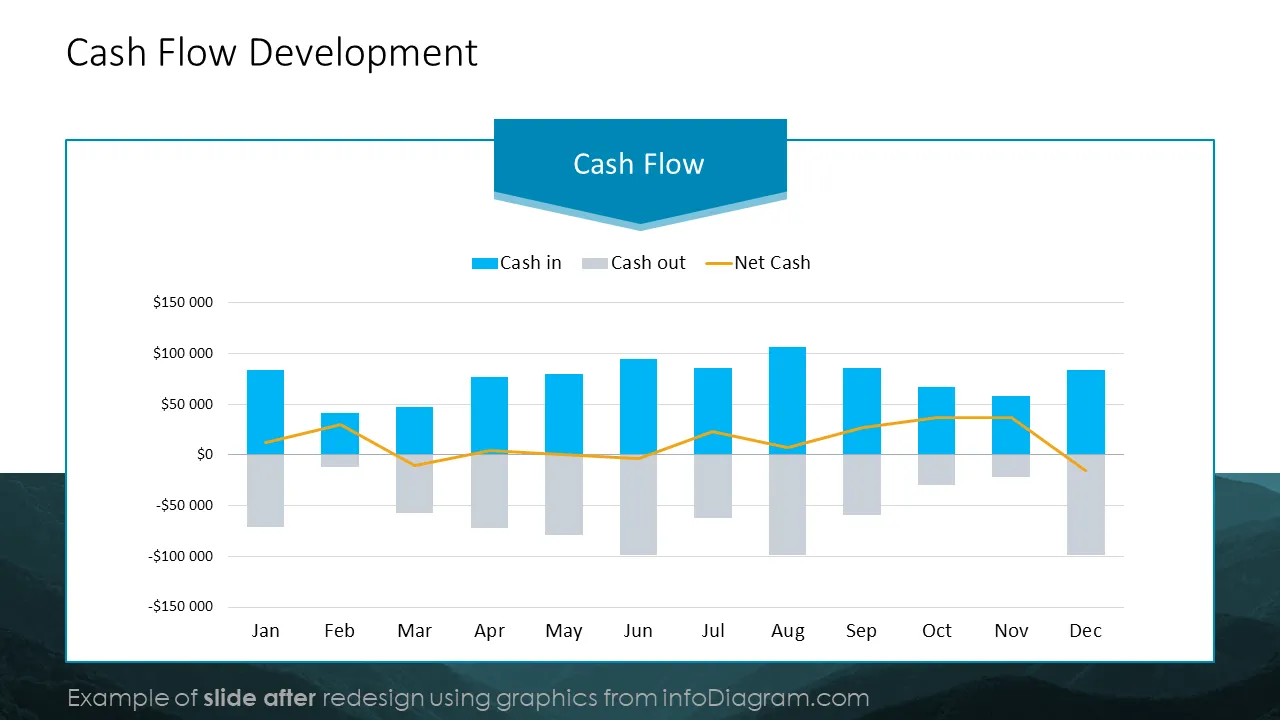
- Present your cash flow development, visualizing your inflows, outflows, net cash, or cash flow margin in a time trend chart.
- Complete your monthly business review by following up on your operational goals using the OKR template, which is designed to show the month’s 3-4 objectives, progress fulfillment indicators, and appropriate comments.
- Describe your targets for the following month/period using a template that includes upcoming priorities and measurable goals.
- Formulate action plans to achieve your company’s objectives by adding responsible persons in charge of each corrective activity you plan.
Try using those PowerPoint graphics to present your data visually in an elegant way.
All graphics are editable to modify the size, colors, and text. Also, you can extend the collection further with more PPT symbols (see Related Diagrams section).
Try using thisset of fully editable PowerPoint vector shapes to present your data visually in an elegant way. You can easily modify all elements:
- Replace icons
- Change the filling and outline color
- Modify size and proportions
- Rotate, flip, align, and change order
Slides included in this PowerPoint Presentation: