
Reviews
Sus gráficos añaden un toque agradable a mis presentaciones y recientemente los usé para una de mis reuniones generales. Su conjunto de herramientas añade profesionalismo a mis diapositivas. En lugar de usar imágenes prediseñadas estándar.
Necesitaba un aspecto fresco para algunas de mis diapositivas. Había intentado encontrar una forma de crear un efecto de pincel, de subrayar, acentuar, añadir algo de color y los marcadores escritos a mano fueron justo lo que necesitaba. Muy fácil de usar, fácil de ajustar el tamaño, cambiar el color. Fue una solución asequible y perfecta, y estoy feliz de recomendarla.
El aspecto nítido y limpio de los gráficos, y el hecho de que me permitiera editar y cambiar fácilmente los colores para que coincidieran con la plantilla fue mi principal razón para comprarlos.
Description
Next Month Targets Presentation
Slide Content
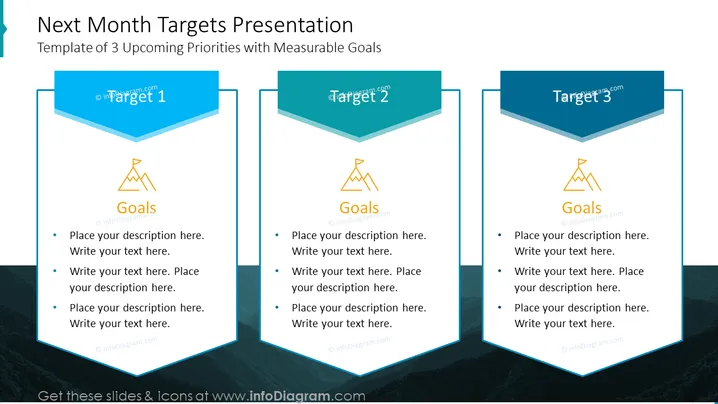
This slide is titled "Next Month Targets Presentation" and is designed as a template for outlining 3 upcoming priorities with measurable goals. Each target is represented by a titled banner ("Target 1", "Target 2", "Target 3") followed by a segment labeled "Goals", indicating where the specific objectives related to each target should be detailed. Below each goals section, there are bullet points for inserting descriptions or details.
Graphical Look
- The slide background features a subtle image of a mountainous landscape with a blue overlay.
- Three banners appear in the foreground, with a distinct 3D design, each bearing the title of the target ("Target 1", "Target 2", "Target 3") with drop shadows for a raised look.
- Below each banner is a golden icon depicting a mountain summit, labeled "Goals".
- Each section for the targets and goals has a corresponding textbox with placeholder text for customization.
- The slide utilizes a contrasting color scheme of blue and gold, enhancing readability and drawing focus to key information areas.
The overall look of the slide is modern and professional. The use of the 3D effect for the banners and contrasting color scheme effectively highlights the key components of the presentation — the monthly targets and their associated goals.
Use Cases
- This slide can be used during monthly team meetings to set and discuss goals for the upcoming month.
- It serves as a visual anchor in strategic planning sessions, where participants outline short-term objectives.
- The slide is suitable for project management updates, where project leads can present the next steps and priorities.
- It can be incorporated into stakeholder presentations to communicate business targets and ensure alignment on expectations and progress.
How to Edit
How to edit text & colors

How to expand / shorten diagram

How to Replace Icons in infoDiagram PPT


