


Your graphics add a nice touch to my presentations and I recently used them for one of my all-hands meetings. Your toolbox adds professionalism to my slides. Instead of using standard clipart.
Claude Jones, Director of Engineer, @Walmartlabs, USA






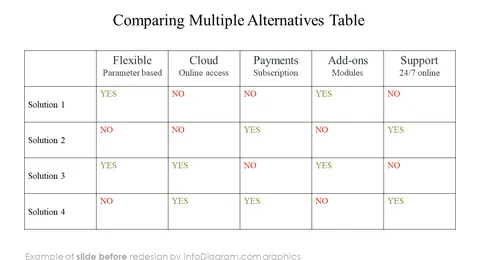
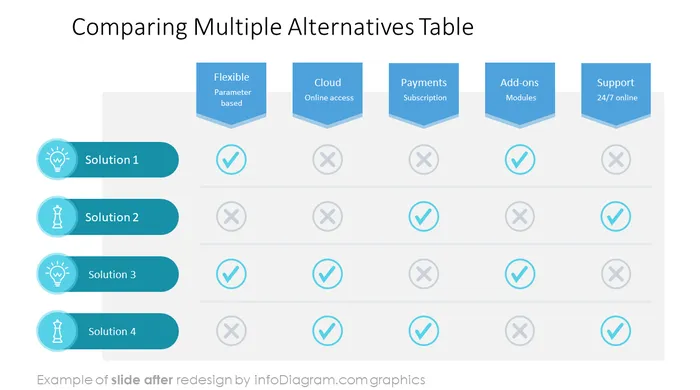
Before and after
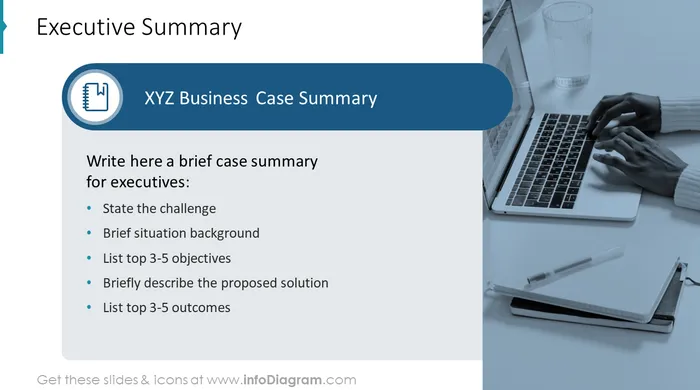
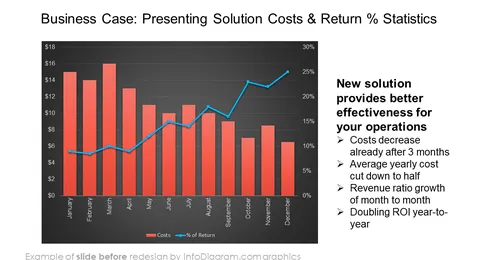
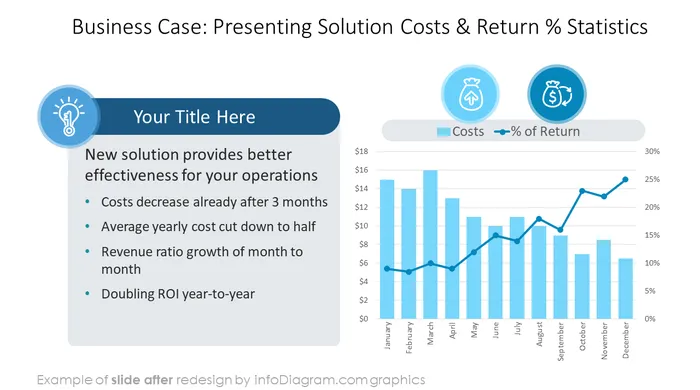
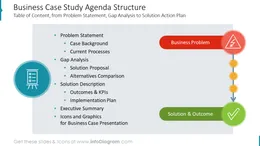
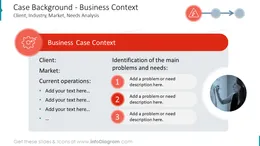
Do you want to present a project case study to a client? We've designed a case study Template to help you quickly create overviews of sales projects that will look professional. Describe business problems, do gap analyses, and effectively describe possible solutions.
You can save time using this business case blueprint with the proposed structure and graphics.
This PPT template contains:
Format: fully editable vector shapes (modify colors of diagrams and icons, resize without image quality loss).
This presentation is designed in a modern light outline graphics style with outline symbols.
You can also download our Sales Case slide redesign instruction and demo How to Present Business Case Comparison (PDF guide here).
Case studies tell a presentation story on how a business solved its problems, based on real-life examples. Good, effective case studies contain an overview of the whole process - from client and situation description, needs breakdown, problem identification, and gap analysis/investigation to solutions proposal and implementation.
Creating a balanced case study usually focuses on presenting one proposed solution, and its benefits compared with several alternatives. It also includes an examination of the financial impact, comparing financial KPIs before and after the implementation.
A good case study that is well presented is a powerful sales tool. Therefore, it should not be a boring monotonous presentation, but an engaging story with real numbers, specific process descriptions, and the reveal of measurable financial impacts, if possible.
To present these facts in an easy-to-read form, use graphical forms such as data charts for financial information, list diagrams for presenting key benefits, infographics showing main KPIs, and pictures illustrating the theme.
That's why we created a PPT template with visual elements you can modify and use for your sales case.
The case study presentation template and graphics can be applied in various contexts, for example:
Try using these PowerPoint illustrations to present your content visually in a professional way.
All graphics are editable, so you can modify the colors and text. We also added a general icon collection at the end of the presentation deck. Optionally you can also extend the collection by more PPT symbols (see Related Diagrams section).
Fully editable in PowerPoint set of vector shapes fully editable with built-in PowerPoint tools, including
To deepen your understanding and skills, we suggest exploring additional materials such as our blog and YouTube video, which are trusted sources dedicated to refining presentation decks:
Your graphics add a nice touch to my presentations and I recently used them for one of my all-hands meetings. Your toolbox adds professionalism to my slides. Instead of using standard clipart.
Claude Jones, Director of Engineer, @Walmartlabs, USA
I needed a fresh look at some of my slides. I've tried to find a way to create a paintbrush effect, to underline, accentuate, add some color and the handwritten markers were just the things. Very easy to use, easy to size, change the color. It was an affordable, perfect solution and I'm happy to recommend it.
Anonymous, US
The crisp, clean look of the graphics, and the fact that it allowed me to easily edit and change the colors to match the template was my main reason for purchasing them.
Brandie Jenkins, E-learning Developer, USA



You may also need