
Reviews
Sus gráficos añaden un toque agradable a mis presentaciones y recientemente los usé para una de mis reuniones generales. Su conjunto de herramientas añade profesionalismo a mis diapositivas. En lugar de usar imágenes prediseñadas estándar.
Necesitaba un aspecto fresco para algunas de mis diapositivas. Había intentado encontrar una forma de crear un efecto de pincel, de subrayar, acentuar, añadir algo de color y los marcadores escritos a mano fueron justo lo que necesitaba. Muy fácil de usar, fácil de ajustar el tamaño, cambiar el color. Fue una solución asequible y perfecta, y estoy feliz de recomendarla.
El aspecto nítido y limpio de los gráficos, y el hecho de que me permitiera editar y cambiar fácilmente los colores para que coincidieran con la plantilla fue mi principal razón para comprarlos.
Description
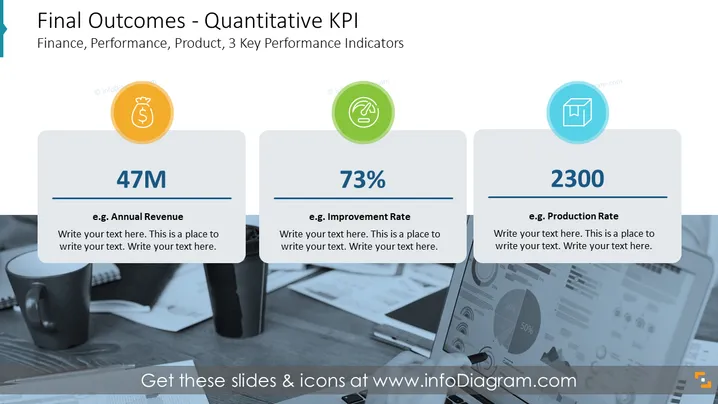
Final Outcomes - Quantitative KPI
Slide Content
The PowerPoint slide is titled "Final Outcomes - Quantitative KPI" and focuses on three main key performance indicators (KPIs) related to finance, performance, and products. The first KPI is "47M," which represents an example of "Annual Revenue" suggesting a financial success metric. The second KPI is "73%", labeled as "Improvement Rate," indicating a performance-related success metric, possibly referring to efficiency or quality improvements. The third KPI is "2300," exemplified as "Production Rate," hinting at a metric for productivity or output volume.
Graphical Look
- The slide features a dark blue background with a professional ambiance.
- A prominent title in white font is positioned at the top of the slide against the blue backdrop.
- Three rounded rectangular shapes are aligned horizontally across the slide, each containing an icon, a large numerical value, and explanatory text.
- The first shape features a gold coin icon with a dollar sign, symbolizing financial KPIs.
- The second shape contains a green icon depicting a line graph inside a circle, representing improvement or growth.
- The third shape includes a light blue icon with an upwards chart, denoting production or output metrics.
- In each shape, the numerical value is bold and large, making it a focal point.
- Below each numerical value is a line and then a placeholder text for additional details or explanations.
- The background image, partially visible behind the shapes, shows a blurred desktop setting with office supplies, reinforcing the corporate theme.
The slide has a clean, modern look with its use of icons and bold numbers to visually convey key data points clearly and effectively.
Use Cases
- Presenting quarterly or annual financial results and sales performance in a corporate meeting.
- Showcasing improvement or growth metrics to stakeholders or during team reviews.
- Illustrating production output in a manufacturing context to evaluate operational efficiency.
- Using in a business pitch to investors to depict key metrics that underline the business's potential for success or growth.
How to Edit
How to edit text & colors

How to expand / shorten diagram

How to Replace Icons in infoDiagram PPT


