
Reviews
Sus gráficos añaden un toque agradable a mis presentaciones y recientemente los usé para una de mis reuniones generales. Su conjunto de herramientas añade profesionalismo a mis diapositivas. En lugar de usar imágenes prediseñadas estándar.
Necesitaba un aspecto fresco para algunas de mis diapositivas. Había intentado encontrar una forma de crear un efecto de pincel, de subrayar, acentuar, añadir algo de color y los marcadores escritos a mano fueron justo lo que necesitaba. Muy fácil de usar, fácil de ajustar el tamaño, cambiar el color. Fue una solución asequible y perfecta, y estoy feliz de recomendarla.
El aspecto nítido y limpio de los gráficos, y el hecho de que me permitiera editar y cambiar fácilmente los colores para que coincidieran con la plantilla fue mi principal razón para comprarlos.
Description
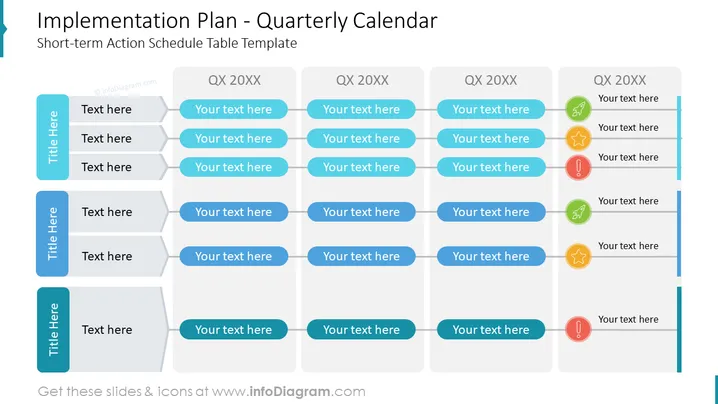
Implementation Plan - Quarterly Calendar
Slide Content
The slide is titled "Implementation Plan - Quarterly Calendar" and appears to be a template for a short-term action schedule table. It is structured into five columns, labeled "Title Here" for categories or tasks and "QX 20XX" for each of the four quarters of a year, signifying a generic timeline. Each quarter column has five rows for specific actions or milestones. Icons next to the last column provide a visual alert system, possibly to indicate the status or type of tasks (e.g., attention required, success, or information).
Graphical Look
- The slide background is white, providing a clean and uncluttered canvas for the content.
- A vertical teal bar on the left, with "Title Here" placeholders, serves as a category or task label area.
- Four main columns, each header labeled "QX 20XX," represent the quarters of a year. The headers are in different shades of blue to provide visual differentiation.
- Each column consists of five grey text boxes with blue outlines where detailed action items or task descriptions can be entered.
- To the right of the last column, there are three circular icons in yellow with a star, red with an exclamation mark, and green with a checkmark, which are typically used to symbolize priority, alert, and completion, respectively.
- The line and icon graphics use flat design elements, common in modern presentation aesthetics.
The overall look of the slide is professional and organized, using a cool color palette that is easy on the eyes. The chosen icons act as a quick visual guide to assess the status or type of tasks at a glance.
Use Cases
- To outline the steps and strategies of a project's implementation phase over the next year in a business meeting.
- For quarterly performance reviews, where specific activities and their outcomes can be discussed.
- During the planning phase of a project, to assign and track responsibilities and deadlines over multiple quarters.
- To visually communicate progress and upcoming tasks to stakeholders in a clear and structured manner during project updates or team alignment sessions.
How to Edit
How to edit text & colors

How to expand / shorten diagram

How to Replace Icons in infoDiagram PPT


