

Your graphics add a nice touch to my presentations and I recently used them for one of my all-hands meetings. Your toolbox adds professionalism to my slides. Instead of using standard clipart.
Claude Jones, Director of Engineer, @Walmartlabs, USA

Your graphics add a nice touch to my presentations and I recently used them for one of my all-hands meetings. Your toolbox adds professionalism to my slides. Instead of using standard clipart.
Claude Jones, Director of Engineer, @Walmartlabs, USA
I needed a fresh look at some of my slides. I've tried to find a way to create a paintbrush effect, to underline, accentuate, add some color and the handwritten markers were just the things. Very easy to use, easy to size, change the color. It was an affordable, perfect solution and I'm happy to recommend it.
Anonymous, US
The crisp, clean look of the graphics, and the fact that it allowed me to easily edit and change the colors to match the template was my main reason for purchasing them.
Brandie Jenkins, E-learning Developer, USA
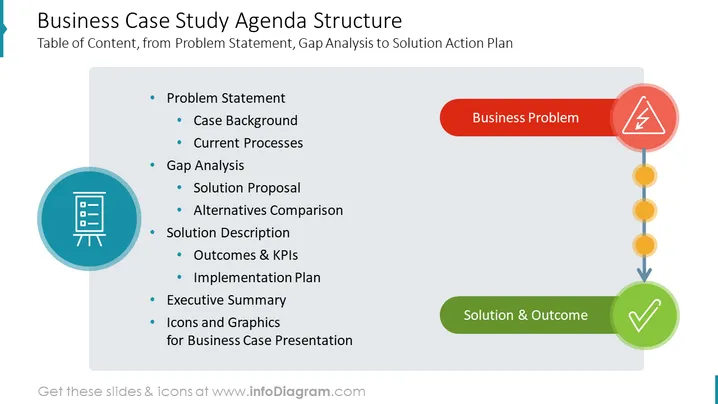
This PowerPoint slide outlines the components of a business case study's agenda structure, beginning with identifying the problem and moving through analysis, proposal, and implementation towards a solution and outcome. It includes a "Problem Statement" to define the issue, "Case Background" to provide context, "Current Processes" to understand existing workflows, "Gap Analysis" to identify improvements, "Solution Proposal" for suggested changes, "Alternatives Comparison" to assess different options, "Solution Description" to detail the selected strategy, and then follows with "Outcomes & KPIs" to measure success, "Implementation Plan" to put the solution into action, and an "Executive Summary" to encapsulate the entire case. Lastly, it includes "Icons and Graphics" for enhancing the exploration of the business case during presentations.
The slide has a clean and professional appearance with a color scheme primarily using blue, red, yellow, and gray, which effectively highlights different sections and makes the information clear and accessible. The use of distinct shapes and colors for the process steps provides an easy-to-follow visual guide through the business case study.



