

Your graphics add a nice touch to my presentations and I recently used them for one of my all-hands meetings. Your toolbox adds professionalism to my slides. Instead of using standard clipart.
Claude Jones, Director of Engineer, @Walmartlabs, USA

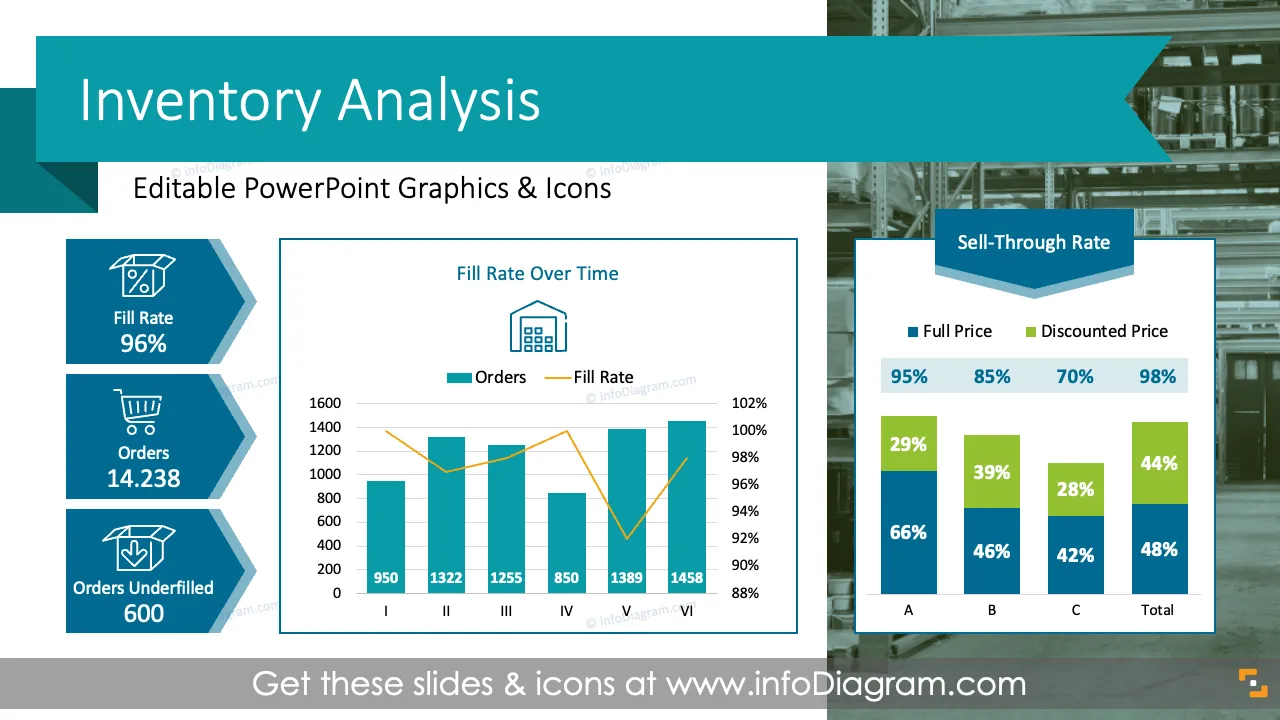

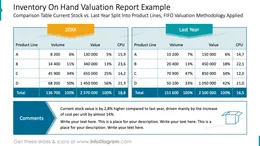
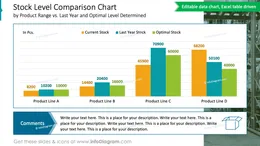
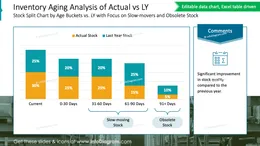
Before and after
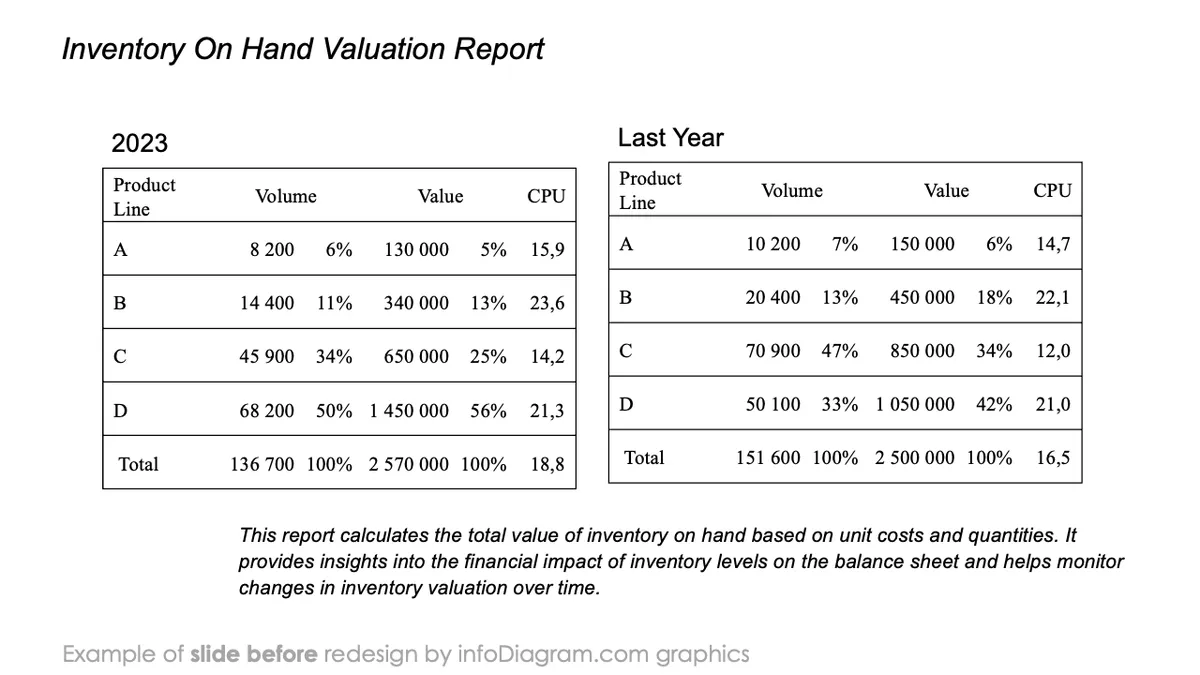
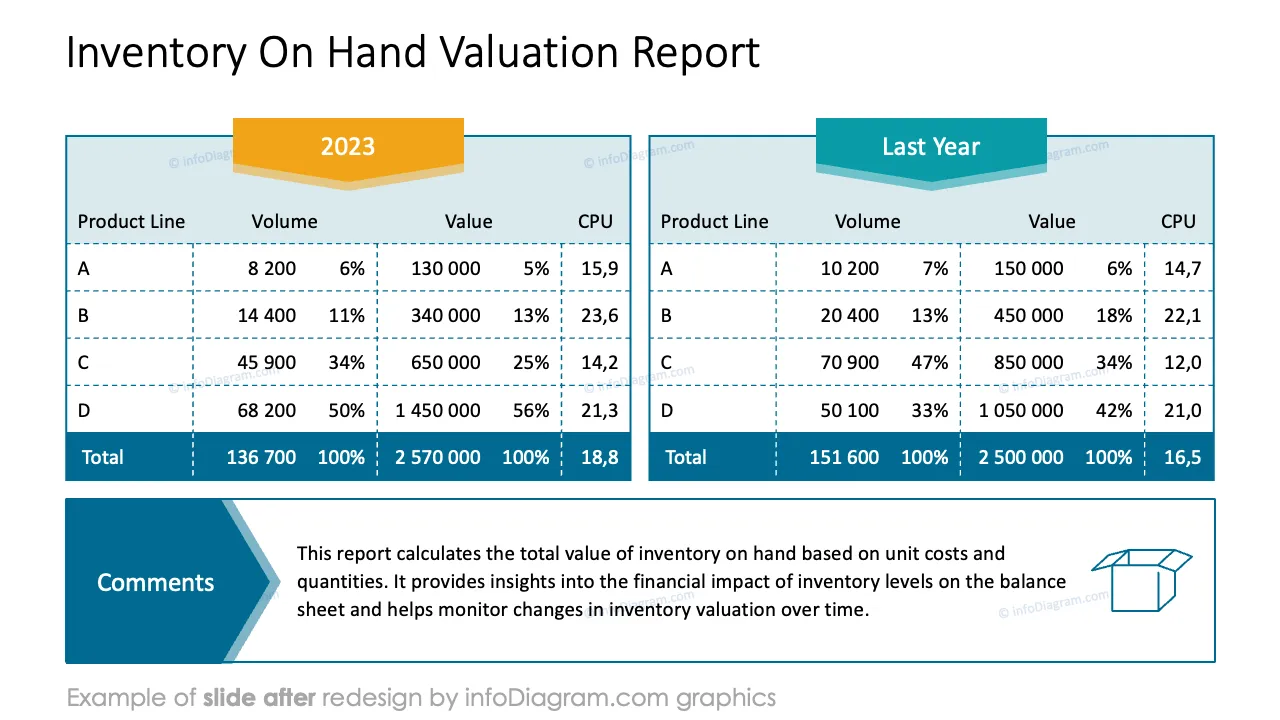
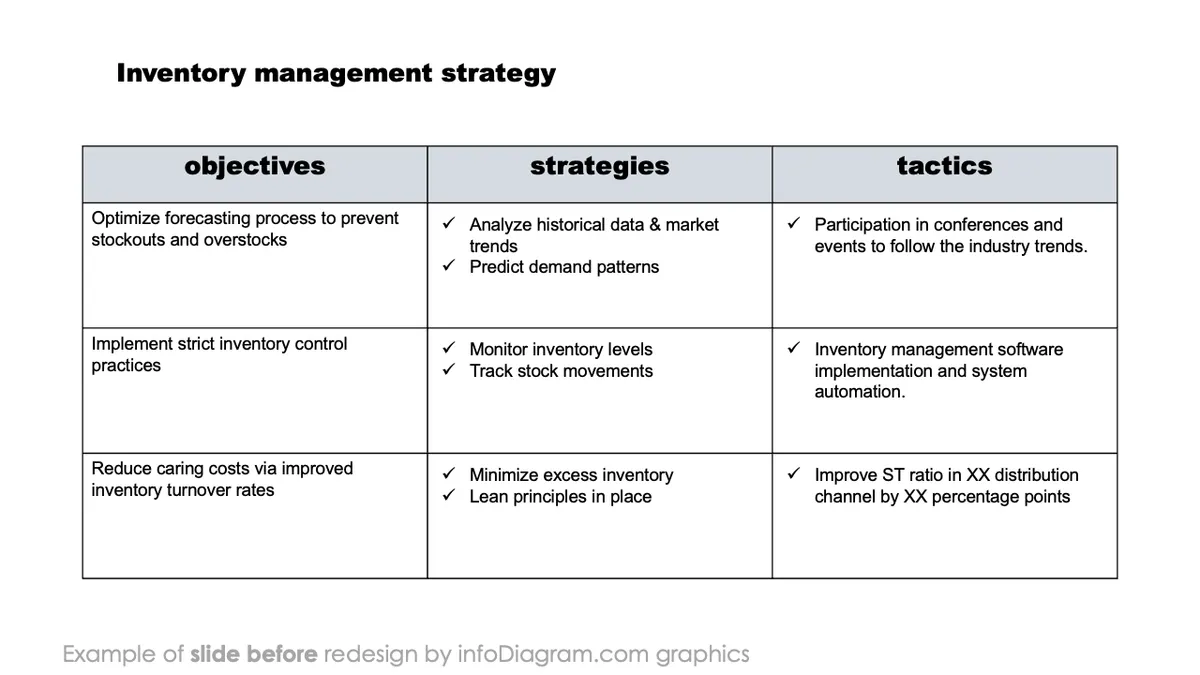
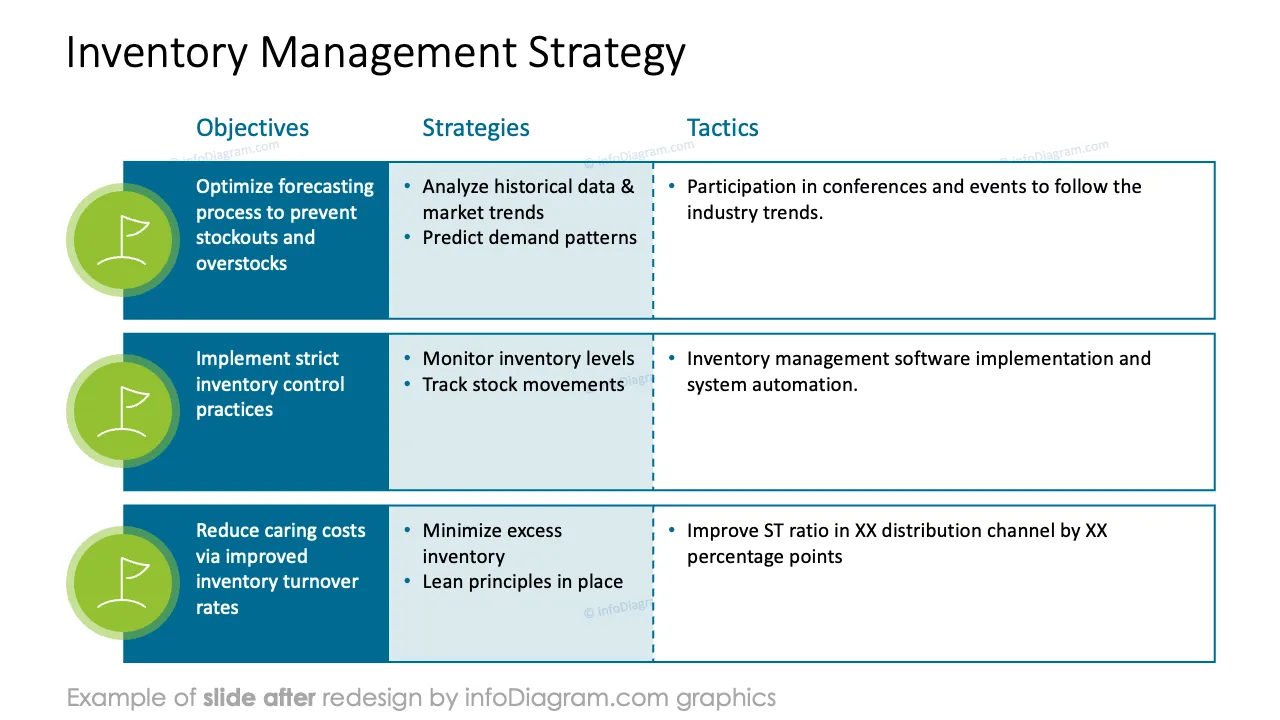
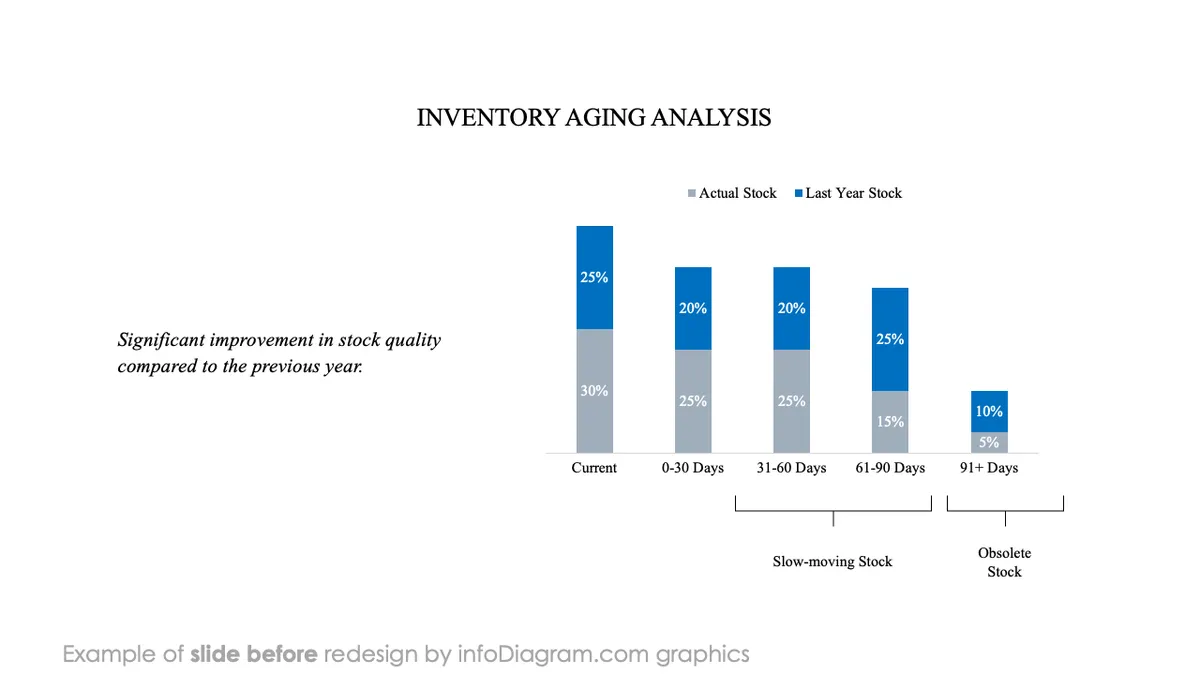
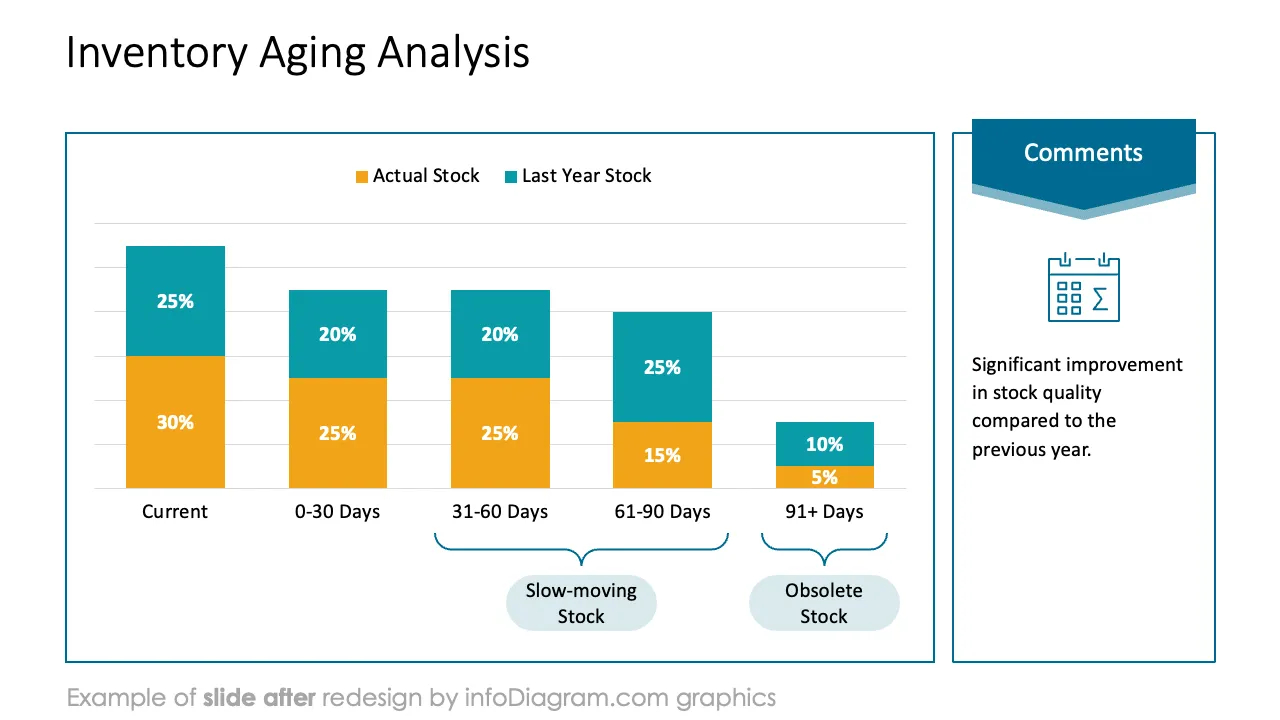
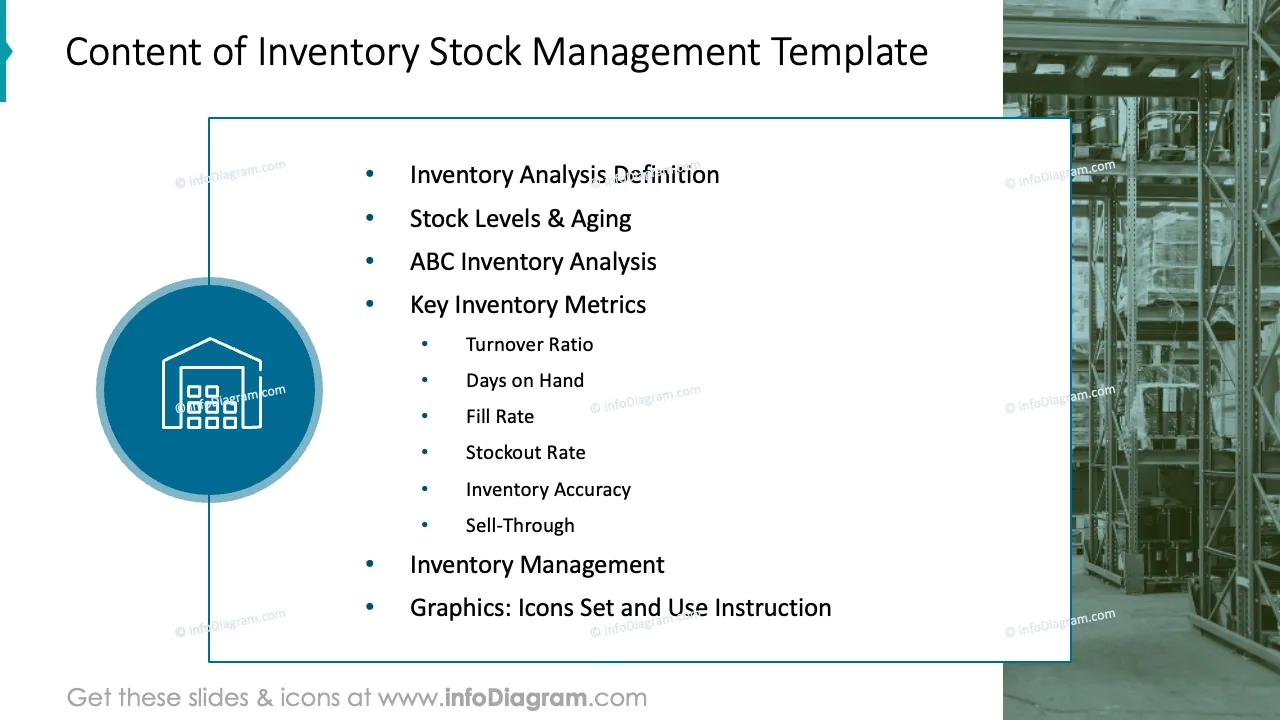
Do you need to present specific aspects of your inventory and stock management performance, highlighting current stock levels, turnover rates, order fulfillment efficiency, or any recent improvements in inventory control processes?
Use our ready-content ppt to convey your message in an attractive and eye-catching format.
This PowerPoint slide deck is designed in an elegant flat style with colorful vector illustrations and outline icons. All graphic shapes can be recolored and resized without quality loss.
Stock-level analysis involves examining the quantity of inventory a business holds at a given time and assessing its adequacy, efficiency, and impact on operations. By conducting a thorough stock-level analysis, businesses can optimize inventory management practices, improve cash flow, minimize stockouts and excess inventory, and enhance overall operational efficiency.
Financial Managers pay close attention to where the company’s resources are tied. The company’s money can be locked up in excess inventory. Faster stock turnover means the company can quickly convert its products into cash, improving liquidity. Organizations can optimize operations, reduce costs, and improve overall business performance by regularly analyzing inventory.
Present your stock situation using infographics appropriate for your business. To upgrade your presentation slides, you can use our content-ready PowerPoint template. Our slides are easy to edit, altering the content, values, colors, and look and feel.
Using infographics in your capital inventory performance follow-up will help you organize information in a visually appealing format and present your numbers in a compelling way that is easy for your audience to understand.
Try using those PowerPoint graphics to present your data visually in an elegant way.
All graphics are editable to modify the size, colors, and text. Also, you can extend the collection further with more PPT symbols (see Related Diagrams section).
Try using thisset of fully editable PowerPoint vector shapes to present your data visually in an elegant way. You can easily modify all elements:
Your graphics add a nice touch to my presentations and I recently used them for one of my all-hands meetings. Your toolbox adds professionalism to my slides. Instead of using standard clipart.
Claude Jones, Director of Engineer, @Walmartlabs, USA
I needed a fresh look at some of my slides. I've tried to find a way to create a paintbrush effect, to underline, accentuate, add some color and the handwritten markers were just the things. Very easy to use, easy to size, change the color. It was an affordable, perfect solution and I'm happy to recommend it.
Anonymous, US
The crisp, clean look of the graphics, and the fact that it allowed me to easily edit and change the colors to match the template was my main reason for purchasing them.
Brandie Jenkins, E-learning Developer, USA



You may also need