
Reviews
Your slides are my "secret sauce" when it comes to presenting my ideas to clients. I save a lot of time.
J'avais un délai de livraison à respecter et je n'avais pas le temps de créer une variété de modèles de diapositives. Infodiagram m'a proposé des options faciles à télécharger et à personnaliser en fonction de mes besoins !
Vos diapositives suscitent souvent de précieux commentaires et idées de la part de mon équipe, ce qui améliore les diapositives finales.
Description
Key Team Members List Diagram
Slide Content
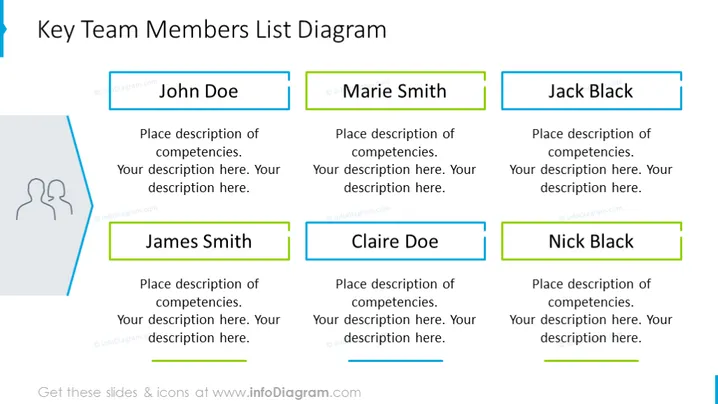
The PowerPoint slide titled "Key Team Members List Diagram" showcases six placeholders for team members' names and their corresponding competencies. Each name is highlighted with a colored rectangular textbox, suggesting personalization for each individual. The boxes for 'John Doe', 'Marie Smith', and 'Jack Black' are positioned in the top row, while 'James Smith', 'Claire Doe', and 'Nick Black' are aligned in the bottom row. The template is designed for a clear and organized presentation of key team members, their roles, or specific areas of expertise.
Graphical Look
- A light blue headline in a sans-serif font serves as the slide's title.
- Six rectangular text boxes serve as placeholders for team member names, three on the top row, three on the bottom.
- Each name rectangle features a different colored outline emphasizing individuality.
- Additional smaller text boxes below each name are designed for descriptive text or details about the individual's competencies.
- The rectangles are aligned neatly in two horizontal rows.
- A simple stylized icon of two silhouetted figures is present on the left, associated with the theme of team or personnel.
- The background color is white, providing a clean and uncluttered appearance for the other elements to stand out.
The overall look of the slide is professional, with a well-organized and clean design. The color-coded text boxes help to differentiate team members while maintaining a cohesive visual structure.
Use Cases
- Introducing key team members during a business or project presentation to stakeholders or clients.
- Outlining the organizational structure and the main points of contact within a company or department.
- Highlighting expertise areas and responsibilities of team members in kickoff meetings for new projects.
- Using it for company orientations to familiarize new employees with their colleagues and reporting hierarchy.
How to Edit
How to edit text & colors

How to expand / shorten diagram

How to Replace Icons in infoDiagram PPT


