
Reviews
Ihre Grafiken verleihen meinen Präsentationen eine nette Note, und ich habe sie kürzlich für eines meiner All-Hands-Meetings verwendet. Ihre Toolbox verleiht meinen Folien Professionalität, anstatt Standard-Clipart zu verwenden.
Ich brauchte einen neuen Blick auf einige meiner Folien. Ich habe versucht, einen Weg zu finden, einen Pinselschlag-Effekt zu erzielen, um zu unterstreichen, hervorzuheben, Farbe hinzuzufügen, und die handgeschriebenen Markierungen waren genau das Richtige. Sehr einfach zu bedienen, leicht in der Größe zu ändern, die Farbe zu ändern. Es war eine erschwingliche, perfekte Lösung und ich empfehle sie gerne weiter.
Die klare, saubere Optik der Grafiken und die Tatsache, dass ich die Farben leicht bearbeiten und an die Vorlage anpassen konnte, war mein Hauptgrund für den Kauf.
Description
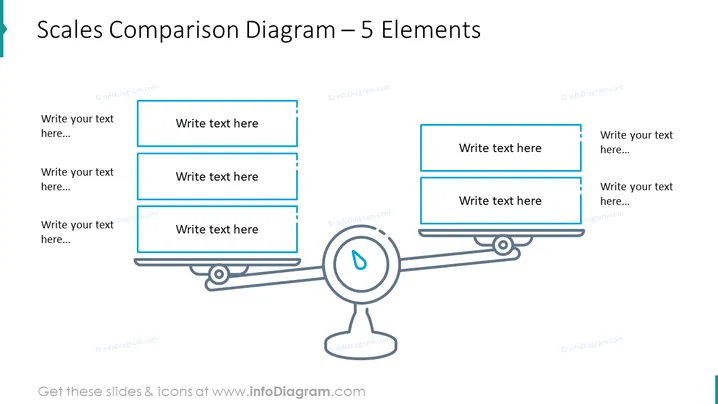
Scales Comparison Diagram – 5 Elements
Slide Content
The slide entitled "Scales Comparison Diagram – 5 Elements" depicts a balance scale comparison diagram which is used to represent a comparison or balance of ideas, concepts, or topics. Each side of the scale has placeholders for three elements, indicated by rectangular shapes with text "Write text here...". These placeholders suggest that the presenter can add their own content, explaining that each side can consist of various components that should be weighed against each other.
Graphical Look
- The central graphic is a simple depiction of a balance scale with a stand and two arms.
- Each arm of the balance scale supports three light blue rectangular shapes with rounded corners, meant to contain text.
- The rectangles on the left arm are stacked vertically and aligned with the left edge, and the same applies to the right arm's rectangles.
- A drop icon in the middle of the scale serves as a pivot point, hinting at equilibrium or measurement.
- The balance scale graphic is composed of thin dark lines, giving a light and clean appearance.
- All text placeholders are indicated with a light blue outline and contain the light grey text "Write text here..." to signify where the user can customize the slide with their own content.
The slide has a modern and professional style, predominantly using blue tones on a white background. The design is minimalistic, enhancing readability and focus on the content areas.
Use Cases
- Comparing pros and cons of a business decision, with bullet points explaining each side of the argument.
- Weighing different investment options, where each element represents a potential benefit or risk.
- Presenting contrasting strategies in a business plan to evaluate their potential outcomes.
- Demonstrating the balance of resource allocation between two departments or projects.
How to Edit
How to edit text & colors

How to expand / shorten diagram

How to Replace Icons in infoDiagram PPT


