
Reviews
Ihre Grafiken verleihen meinen Präsentationen eine nette Note, und ich habe sie kürzlich für eines meiner All-Hands-Meetings verwendet. Ihre Toolbox verleiht meinen Folien Professionalität, anstatt Standard-Clipart zu verwenden.
Ich brauchte einen neuen Blick auf einige meiner Folien. Ich habe versucht, einen Weg zu finden, einen Pinselschlag-Effekt zu erzielen, um zu unterstreichen, hervorzuheben, Farbe hinzuzufügen, und die handgeschriebenen Markierungen waren genau das Richtige. Sehr einfach zu bedienen, leicht in der Größe zu ändern, die Farbe zu ändern. Es war eine erschwingliche, perfekte Lösung und ich empfehle sie gerne weiter.
Die klare, saubere Optik der Grafiken und die Tatsache, dass ich die Farben leicht bearbeiten und an die Vorlage anpassen konnte, war mein Hauptgrund für den Kauf.
Description
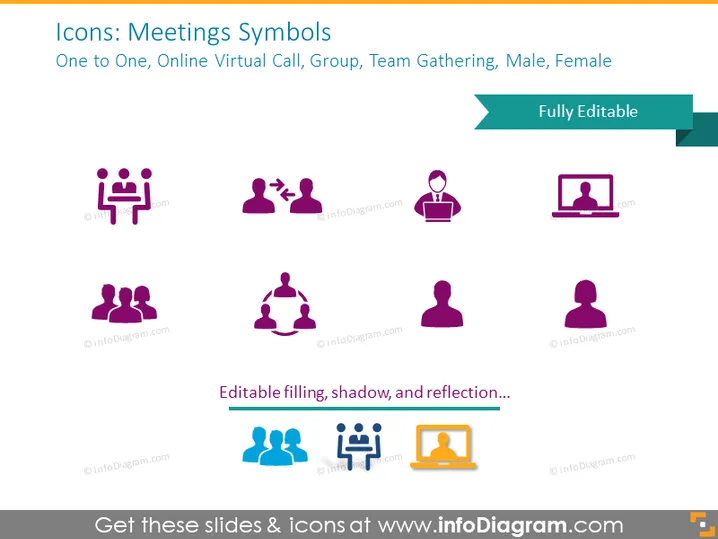
Icons: Meetings Symbols
Slide Content
The PowerPoint slide titled "Icons: Meetings Symbols" showcases a range of graphical representations related to different meeting contexts, like "One to One," which indicates a meeting between two individuals, "Online Virtual Call" suggesting a digital communication setup, "Group" referring to a meeting with multiple participants, "Team Gathering" indicating a collective session of a team, "Male" and "Female" to depict gender-specific icons. The icons are intended to represent various meeting scenarios and participants in a visual format and the slide indicates that they are fully editable.
Graphical Look
- The slide background is plain with a muted shade of blue.
- There are eight icons arranged in two rows and four columns.
- The icons are depicted in a dual-tone color palette of purple and dark blue.
- Each icon comprises simple geometric shapes and human silhouettes to represent different meeting types and participants.
- Subtle shadows and reflections are added to the bottom of each icon.
- The icons include images of individuals, pairs, and groups in different meeting contexts, such as using a computer or sitting around a table.
- Above the icons, there's a green and dark blue label that states "Fully Editable".
- Below the icons, a subtitle in white text reads "Editable filling, shadow, and reflection..."
Overall, the slide has a minimalistic and professional appearance, with a clear emphasis on the icons, which are designed to be intuitive and easily recognizable. The complementary colors, simple shapes, and clean layout give the slide a modern and functional aesthetic.
Use Cases
- To visually illustrate different types of meeting arrangements within a business presentation.
- As part of an instructional slide deck to explain communication protocols or meeting etiquette.
- To quickly highlight and differentiate between gender considerations in meetings through the use of gender-specific icons.
- In HR or team coordination presentations to plan and assign appropriate meeting formats to various teams or departments.
How to Edit
How to edit text & colors

How to expand / shorten diagram

How to Replace Icons in infoDiagram PPT


