
Your graphics add a nice touch to my presentations and I recently used them for one of my all-hands meetings. Your toolbox adds professionalism to my slides. Instead of using standard clipart.
Claude Jones, Director of Engineer, @Walmartlabs, USA
Your graphics add a nice touch to my presentations and I recently used them for one of my all-hands meetings. Your toolbox adds professionalism to my slides. Instead of using standard clipart.
Claude Jones, Director of Engineer, @Walmartlabs, USA
I needed a fresh look at some of my slides. I've tried to find a way to create a paintbrush effect, to underline, accentuate, add some color and the handwritten markers were just the things. Very easy to use, easy to size, change the color. It was an affordable, perfect solution and I'm happy to recommend it.
Anonymous, US
The crisp, clean look of the graphics, and the fact that it allowed me to easily edit and change the colors to match the template was my main reason for purchasing them.
Brandie Jenkins, E-learning Developer, USA
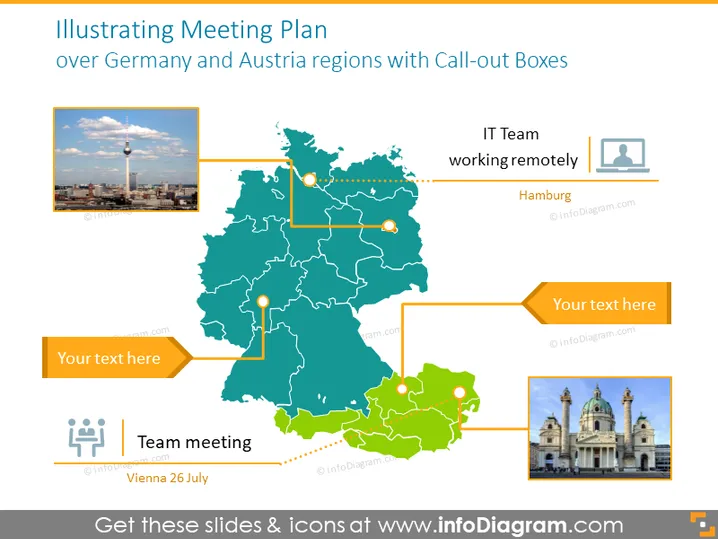
The PowerPoint slide, titled "Illustrating Meeting Plan over Germany and Austria regions with Call-out Boxes," depicts a map marking specific locations associated with designated meeting plans. It makes use of call-out boxes that are connected to several points on the map, with placeholder texts suggesting that further details about the meetings can be inputted. There is also a designation for an IT team working remotely in Hamburg, another text box with unspecified content, and a caption about a team meeting in Vienna on the 26th of July.
The overall look of the slide is professional and informative, with clear visual cues to associate textual information with specific geographical locations. The color palette is cohesive, suggesting a structured and organized presentation.




