
Reviews
Your graphics add a nice touch to my presentations and I recently used them for one of my all-hands meetings. Your toolbox adds professionalism to my slides. Instead of using standard clipart.
I needed a fresh look at some of my slides. I've tried to find a way to create a paintbrush effect, to underline, accentuate, add some color and the handwritten markers were just the things. Very easy to use, easy to size, change the color. It was an affordable, perfect solution and I'm happy to recommend it.
The crisp, clean look of the graphics, and the fact that it allowed me to easily edit and change the colors to match the template was my main reason for purchasing them.
Description
Joy related icons
Slide Content
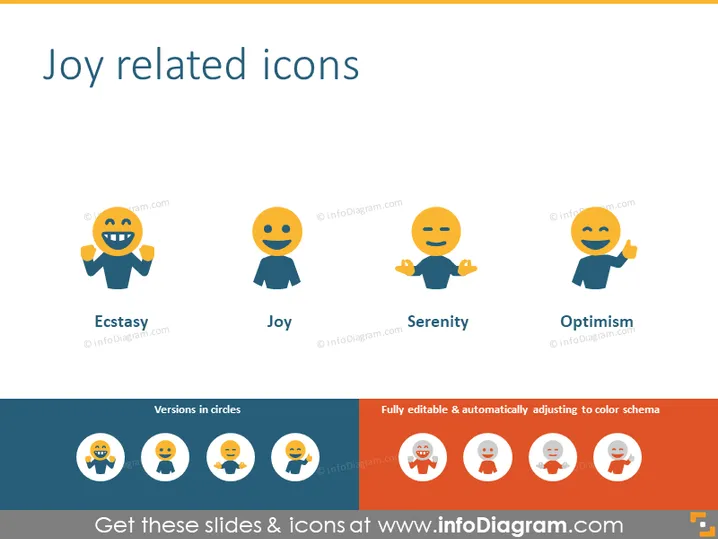
The slide titled "Joy related icons" presents a set of four stylized icons each representing a different nuanced concept of joy. The first icon, 'Ecstasy', suggests a heightened state of joy or euphoria. 'Joy' is depicted as a content and balanced state of happiness. The third icon, 'Serenity', indicates a calm or peaceful joy, while 'Optimism' is characterized by a positive outlook represented with a thumbs-up gesture. Below the main icons are their circular versions, which show the same expressions in a different shape.
Graphical Look
- The background of the slide is white.
- The title "Joy related icons" is at the top in large, bold, navy blue font.
- Four colorful icons are aligned horizontally near the top half of the slide.
- Each icon represents a different emotion related to joy with facial expressions and gestures on simple human figures.
- The figures have circle heads with facial expressions, and their bodies are represented by semi-circles or simple shapes.
- Each icon has a distinct color, with variations of orange, blue, and grey tones.
- Under each icon, there is a navy-blue label with the name of the emotion in white font, such as 'Ecstasy', 'Joy', 'Serenity', and 'Optimism'.
- Below the main set of icons is a dark navy-blue banner with circular versions of the icons, contrasting with white circle backgrounds.
- On the right side of the navy-blue banner, there is a message stating "Fully editable & automatically adjusting to color schema" in white font.
The slide uses flat design principles, with a clean and minimalist aesthetic. The use of color is moderate but distinct, creating a visually appealing and easy-to-understand representation of each concept.
Use Cases
- To visually communicate different facets of joy in a psychological or emotional intelligence workshop.
- In marketing materials to represent customer satisfaction levels or emotional responses to products or services.
- During team-building activities to discuss team morale and the types of positive emotions team members should aspire to cultivate.
- In user experience (UX) presentations, to illustrate the desired emotional outcomes of using a product or interface.
How to Edit
How to edit text & colors

How to expand / shorten diagram

How to Replace Icons in infoDiagram PPT


