
Reviews
Your graphics add a nice touch to my presentations and I recently used them for one of my all-hands meetings. Your toolbox adds professionalism to my slides. Instead of using standard clipart.
I needed a fresh look at some of my slides. I've tried to find a way to create a paintbrush effect, to underline, accentuate, add some color and the handwritten markers were just the things. Very easy to use, easy to size, change the color. It was an affordable, perfect solution and I'm happy to recommend it.
The crisp, clean look of the graphics, and the fact that it allowed me to easily edit and change the colors to match the template was my main reason for purchasing them.
Description
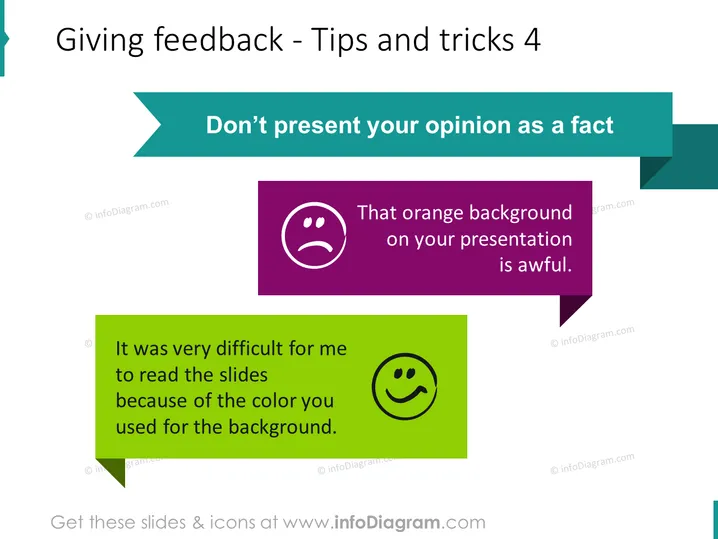
Giving feedback - Tips and tricks 4
Slide Content
The slide focuses on how to give feedback appropriately, emphasizing not presenting opinions as facts. Two speech bubbles illustrate good and bad examples of feedback. The negative feedback bubble states "That orange background on your presentation is awful," expressing a strong opinion as if it were a fact. The positive feedback bubble says "It was very difficult for me to read the slides because of the color you used for the background," which provides a personal perspective and implies room for improvement.
Graphical Look
- The title "Giving feedback - Tips and tricks 4" is prominently displayed at the top in dark text against a light background.
- A teal-colored banner contains the key point "Don’t present your opinion as a fact", in contrasting white text.
- Two speech bubbles are presented side by side; one with a purple background and a frowning face, the other with a lime green background and a smiling face.
- The left speech bubble with the unhappy face provides an example of poorly-delivered feedback.
- The right speech bubble with the happy face shows a better way to phrase feedback, focusing on personal experience.
- The unhappy face bubble contains bold text, while the content of the happy face bubble is non-bolded.
- The colors used are bold and contrasting, with purple, teal, green, and white making the slide elements distinct.
The overall look is clean with a modern design, using bold colors and clear text to distinguish between the two contrasting examples of feedback.
Use Cases
- In workshops focused on communication skills to demonstrate effective feedback strategies.
- During employee training sessions to promote constructive criticism.
- As part of a presentation on team collaboration and interpersonal skills.
- In leadership and management training to improve the quality of feedback given by supervisors.
How to Edit
How to edit text & colors

How to expand / shorten diagram

How to Replace Icons in infoDiagram PPT


