
Reviews
The icons are fantastic, easy to use, and will add value to any project or presentation. Keep up the great work.
I love how simple infoDiagram's solutions are and the personal interest they took in my work. Recommended 1000%!
The crisp, clean look of the graphics, and the fact that it allowed me to easily edit and change the colors to match the template was my main reason for purchasing them.
Description
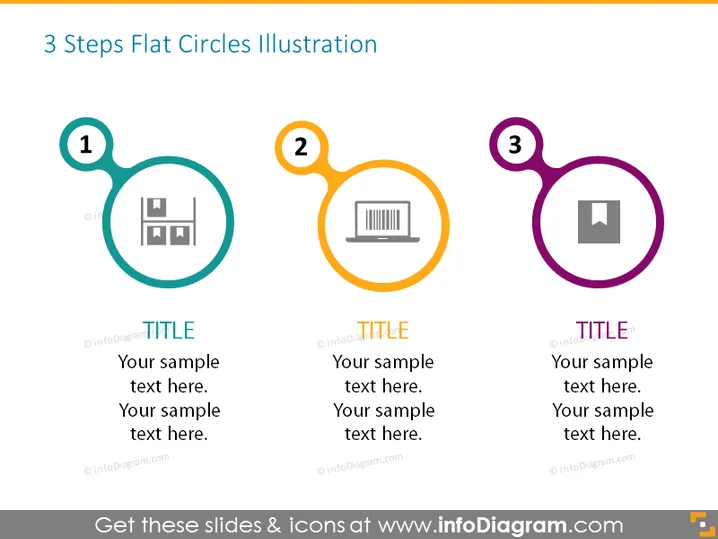
3 Steps Flat Circles Illustration
Slide Content
The PowerPoint slide titled "3 Steps Flat Circles Illustration" depicts a sequential process or set of three interconnected elements. Each step is represented by a colored, flat circle labeled with a number (1-3). Inside the circles, there are icons suggestive of different activities or concepts. For example, step 1 may represent analytics, step 2 could be associated with performance, and step 3 might indicate results or outcomes. Below each circle, there's a placeholder for a title and additional text for a more detailed explanation.
Graphical Look
- Three large flat-design styled circles each containing a number and an icon, arranged horizontally across the slide.
- The circles are connected with lines, indicating a sequence or flow from left to right.
- Each circle has a different color: teal for 1, orange for 2, and purple for 3.
- Inside each circle is a unique icon: the first with what appears to be bar graphs, the second with a laptop, and the third with a square and smaller filled square.
- Below each circle, there are placeholders for text marked with "TITLE" and multiple lines for "Your sample text here."
- The slide background is white, contributing to a clean and simple aesthetic.
The overall look of the slide is minimalistic and modern. The use of colorful circles and simple icons provides a visually pleasing and easily comprehensible way to represent a three-step process or sequence.
Use Cases
- To illustrate a three-step process in a business presentation, such as stages in product development, marketing plan, or sales strategy.
- As an outline for a workshop or training session, where each step represents a specific topic or module to be covered.
- In a company meeting, to break down the phases of project management or implementation of new procedures.
- To showcase a timeline of events or milestones achieved by a department or team in a clear and organized manner.
How to Edit
How to edit text & colors

How to expand / shorten diagram

How to Replace Icons in infoDiagram PPT


