

Your graphics add a nice touch to my presentations and I recently used them for one of my all-hands meetings. Your toolbox adds professionalism to my slides. Instead of using standard clipart.
Claude Jones, Director of Engineer, @Walmartlabs, USA

Your graphics add a nice touch to my presentations and I recently used them for one of my all-hands meetings. Your toolbox adds professionalism to my slides. Instead of using standard clipart.
Claude Jones, Director of Engineer, @Walmartlabs, USA
I needed a fresh look at some of my slides. I've tried to find a way to create a paintbrush effect, to underline, accentuate, add some color and the handwritten markers were just the things. Very easy to use, easy to size, change the color. It was an affordable, perfect solution and I'm happy to recommend it.
Anonymous, US
The crisp, clean look of the graphics, and the fact that it allowed me to easily edit and change the colors to match the template was my main reason for purchasing them.
Brandie Jenkins, E-learning Developer, USA
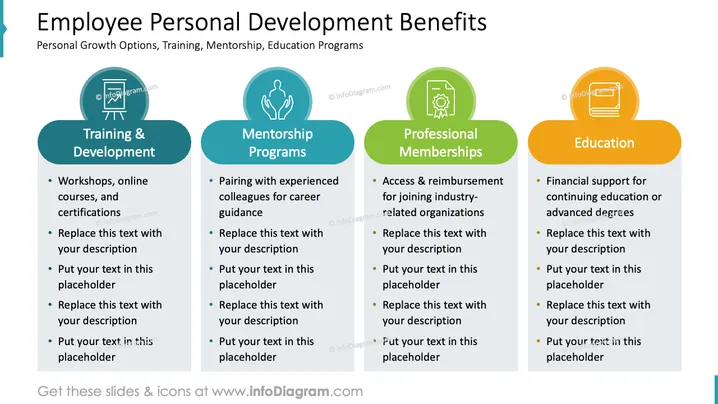
The slide outlines key benefits related to employee personal development, which include 'Training & Development,' 'Mentorship Programs,' 'Professional Memberships,' and 'Education.' Training & Development involves workshops, online courses, and certifications, offering opportunities for skill enhancement and professional growth. Mentorship Programs focus on pairing employees with experienced colleagues for career guidance, promoting knowledge transfer and networking. Professional Memberships provide access to industry-related organizations, aiding in professional recognition and community engagement. Education underscores the importance of financial support for continuing education or advanced degrees, emphasizing the company's investment in lifelong learning.
The slide has a well-organized, clean, and professional appearance, employing a mix of vibrant colors and icons to visually segment the information and aid understanding. The consistent design across each category contributes to a cohesive visual theme.



