
Reviews
Your graphics add a nice touch to my presentations and I recently used them for one of my all-hands meetings. Your toolbox adds professionalism to my slides. Instead of using standard clipart.
I needed a fresh look at some of my slides. I've tried to find a way to create a paintbrush effect, to underline, accentuate, add some color and the handwritten markers were just the things. Very easy to use, easy to size, change the color. It was an affordable, perfect solution and I'm happy to recommend it.
The crisp, clean look of the graphics, and the fact that it allowed me to easily edit and change the colors to match the template was my main reason for purchasing them.
Description
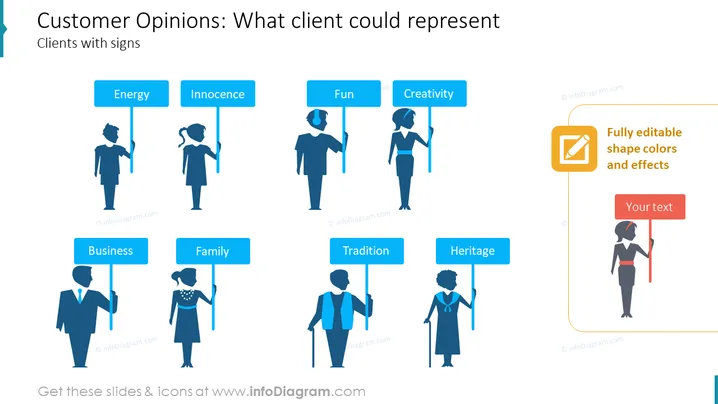
Customer Opinions: What client could represent
Slide Content
The slide shows various customer opinions or personalities that businesses might come across, represented by silhouetted figures holding signs with words such as "Energy," "Innocence," "Fun," "Creativity," "Business," "Family," "Tradition," and "Heritage." Each concept illustrates a type of customer or client attribute that a company might target or encounter. "Energy" implies a dynamic and active customer base, "Innocence" could reflect a naïve or unspoiled market, "Fun" indicates clients looking for enjoyment, while "Creativity" suggests an innovative or imaginative demographic. "Business" denotes a professional or corporate audience, "Family" represents consumers influenced by familial ties, "Tradition" implies a preference for time-honored patterns or customs, and "Heritage" suggests a deep-rooted appreciation of cultural or family legacy.
Graphical Look
- The slide has a light background with silhouetted figures in various poses aligned horizontally across the slide.
- Above each figure is a colored rectangle containing white text—each rectangle signifies a different attribute.
- The text is simple, sans-serif, and easily readable against the background of the colored rectangles.
- On the right side, there is an instructional text box with an icon indicating the shapes and colors are editable, paired with another smaller textbox for user input.
- The color palette is composed of shades of blue, with the exception of the editable shape's instruction, which uses an orange box to draw attention.
The slide features a clean and modern design with a clear, concise layout. The use of silhouette icons and contrasting colors makes the information easily distinguishable and visually appealing.
Use Cases
- To present market segmentation based on personality traits or customer values during a marketing strategy meeting.
- In customer persona development workshops, to associate specific characteristics with target demographic groups.
- During a brand development discussion, to identify which customer attributes a product or brand could embody or resonate with.
- To engage employees in discussions about customer service approaches tailored to different client types.
How to Edit
How to edit text & colors

How to expand / shorten diagram

How to Replace Icons in infoDiagram PPT


