

Your graphics add a nice touch to my presentations and I recently used them for one of my all-hands meetings. Your toolbox adds professionalism to my slides. Instead of using standard clipart.
Claude Jones, Director of Engineer, @Walmartlabs, USA

Your graphics add a nice touch to my presentations and I recently used them for one of my all-hands meetings. Your toolbox adds professionalism to my slides. Instead of using standard clipart.
Claude Jones, Director of Engineer, @Walmartlabs, USA
I needed a fresh look at some of my slides. I've tried to find a way to create a paintbrush effect, to underline, accentuate, add some color and the handwritten markers were just the things. Very easy to use, easy to size, change the color. It was an affordable, perfect solution and I'm happy to recommend it.
Anonymous, US
The crisp, clean look of the graphics, and the fact that it allowed me to easily edit and change the colors to match the template was my main reason for purchasing them.
Brandie Jenkins, E-learning Developer, USA
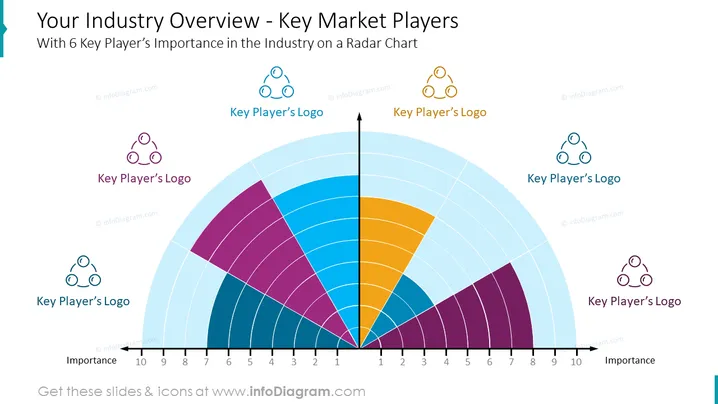
The PowerPoint slide presents an overview of key players in a specific industry, depicted through a radar chart that shows the importance of 6 key players. Each section represents a different entity with varying degrees of importance indicated on a scale from 1 to 10. The concept suggests an analysis of competitive positioning or market influence, where the size of the sections varies according to the significance of each player within the industry. The placeholders for 'Key Player’s Logo' suggest that the logos of the respective companies should be inserted for visual representation.
The slide uses a clean and professional design with a light background and a mix of bright and pastel colors to distinguish the radar chart segments. The clear distribution of elements and distinct color coding make for an easy visual interpretation of the data.



