
Reviews
Ihre Grafiken verleihen meinen Präsentationen eine nette Note, und ich habe sie kürzlich für eines meiner All-Hands-Meetings verwendet. Ihre Toolbox verleiht meinen Folien Professionalität, anstatt Standard-Clipart zu verwenden.
Ich brauchte einen neuen Blick auf einige meiner Folien. Ich habe versucht, einen Weg zu finden, einen Pinselschlag-Effekt zu erzielen, um zu unterstreichen, hervorzuheben, Farbe hinzuzufügen, und die handgeschriebenen Markierungen waren genau das Richtige. Sehr einfach zu bedienen, leicht in der Größe zu ändern, die Farbe zu ändern. Es war eine erschwingliche, perfekte Lösung und ich empfehle sie gerne weiter.
Die klare, saubere Optik der Grafiken und die Tatsache, dass ich die Farben leicht bearbeiten und an die Vorlage anpassen konnte, war mein Hauptgrund für den Kauf.
Description
Your Green Solution Proposal
Slide Content:
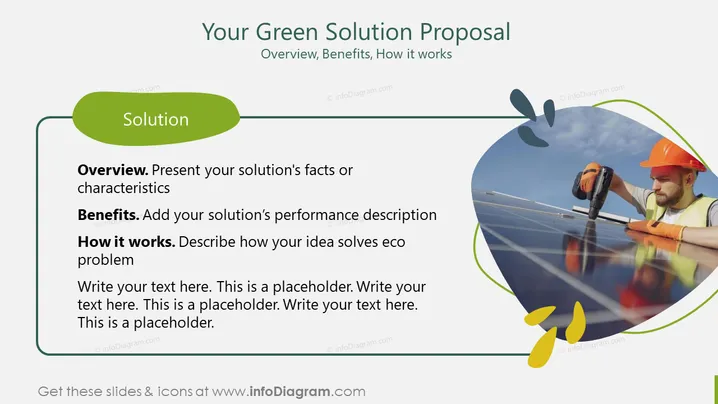
The PowerPoint slide presents a green solution proposal with three main sections to detail the plan. The 'Overview' section is for presenting the solution's facts or characteristics, explaining what the proposal is about and its unique features. The 'Benefits' section prompts the addition of the solution’s performance description, such as environmental and economic advantages. 'How it works' requires a description of how the idea solves eco problems, outlining the mechanism or process behind the solution. Each section has placeholder text suggesting where to elaborate.
Graphical Look:
- The background is white with a green header at the top.
- A large, dark green oval shape labeled 'Solution' overlaps the left margin.
- There are three outlined text boxes with headers 'Overview', 'Benefits', and 'How it works' in bold.
- A circular, partial outline encircles a photo on the right, which contains an image of a person working on solar panels.
- Abstract green leaf shapes are scattered around the slide, symbolizing an eco-friendly theme.
The overall look is clean and professional, with a green color scheme that emphasizes the ecological theme of the content. The use of shapes and icons is minimalistic, supporting the text without overwhelming it.
Use Cases:
- To pitch a green business idea to potential investors or stakeholders.
- In a workshop or seminar focused on sustainable solutions and innovations.
- Within an environmental consultancy's presentation to showcase their services.
- As part of a corporate social responsibility report to demonstrate eco-friendly initiatives.
How to Edit
How to edit text & colors

How to expand / shorten diagram

How to Replace Icons in infoDiagram PPT


