
Reviews
Vos graphiques ajoutent une belle touche à mes présentations et je les ai récemment utilisés pour l'une de mes réunions générales. Votre boîte à outils ajoute du professionnalisme à mes diapositives. Au lieu d'utiliser des cliparts standards.
J'avais besoin d'un nouveau regard sur certaines de mes diapositives. J'ai essayé de trouver un moyen de créer un effet de pinceau, de souligner, d'accentuer, d'ajouter de la couleur et les marqueurs manuscrits étaient exactement ce qu'il fallait. Très facile à utiliser, facile à ajuster la taille, à changer la couleur. C'était une solution abordable et parfaite et je suis heureux de la recommander.
L'aspect net et épuré des graphiques, et le fait qu'il m'ait permis d'éditer et de changer facilement les couleurs pour les adapter au modèle, ont été les principales raisons de mon achat.
Description
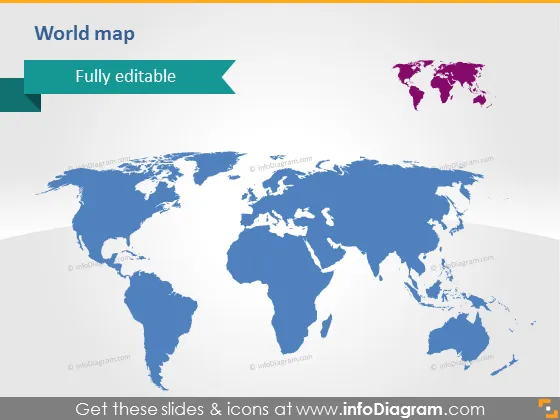
World map
Slide Content
The slide contains a world map indicating it is "Fully editable," hinting at the map’s customizable features for presentation purposes. The map could potentially be used to pinpoint locations, highlight global presence, or represent international data in a visual format. This could be beneficial for demonstrating a company's global reach, presenting statistical data across different countries, or showcasing areas of interest or concern in a geographical context.
Graphical Look
- The central graphic is a large, two-tone world map.
- Overlaid on the map in the top left corner is a green banner with white text stating "Fully editable."
- A smaller, isolated map is placed in the top right corner, displaying an alternative view of the content.
The slide has a clean and professional look. The large map takes center stage, and the contrasting tones make the graphic visually appealing.
Use Cases
- Illustrating a company's international branches or customer base in a business presentation.
- Highlighting countries or regions involved in international trade or partnerships during corporate meetings.
- Displaying global market analysis or demographic statistics in a pitch or report.
- Using as a template for educational presentations to point out geographical information or historical events.
How to Edit
How to edit text & colors

How to expand / shorten diagram

How to Replace Icons in infoDiagram PPT


