
Reviews
Your graphics add a nice touch to my presentations and I recently used them for one of my all-hands meetings. Your toolbox adds professionalism to my slides. Instead of using standard clipart.
I needed a fresh look at some of my slides. I've tried to find a way to create a paintbrush effect, to underline, accentuate, add some color and the handwritten markers were just the things. Very easy to use, easy to size, change the color. It was an affordable, perfect solution and I'm happy to recommend it.
The crisp, clean look of the graphics, and the fact that it allowed me to easily edit and change the colors to match the template was my main reason for purchasing them.
Description
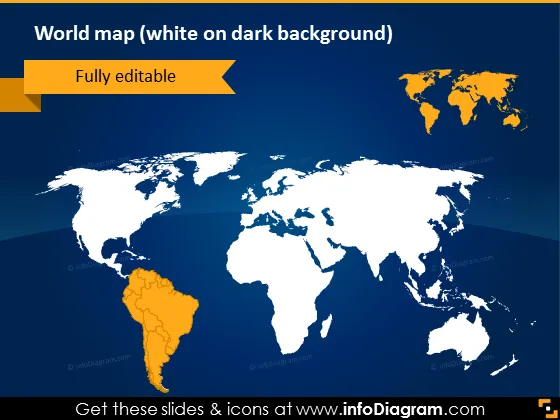
World map (white on dark background)
Slide Content
The PowerPoint slide presents a stylized world map with a focus on editability, signified by the text "Fully editable". This suggests that the map can be customized to fit various presentation needs, such as highlighting specific regions, countries, or displaying different types of data against the global geography. The map on the slide outlines all the continents and countries in a high-contrast color scheme to ensure legality and ease of understanding.
Graphical Look
- The slide's background color is dark navy blue.
- A simplified world map occupies the central part of the slide, with the continents colored in white.
- One of the continents, South America, is highlighted in orange.
- An orange ribbon in the top left corner contains the text "Fully editable," suggesting the customizability of the slide.
- White and orange are used as the primary text colors for contrast against the dark background.
The overall look of the slide is clean and modern, with a minimalistic color scheme emphasizing the map. The contrast between the navy background and the white and orange elements ensures readability.
Use Cases
- Presenting international market expansion plans to stakeholders.
- Demonstrating global reach in company overview presentations.
- Highlighting countries or regions where a business operates during conferences.
- Customizing to showcase demographic data or statistical information in an educational setting.
How to Edit
How to edit text & colors

How to expand / shorten diagram

How to Replace Icons in infoDiagram PPT


