
Reviews
Your graphics add a nice touch to my presentations and I recently used them for one of my all-hands meetings. Your toolbox adds professionalism to my slides. Instead of using standard clipart.
I needed a fresh look at some of my slides. I've tried to find a way to create a paintbrush effect, to underline, accentuate, add some color and the handwritten markers were just the things. Very easy to use, easy to size, change the color. It was an affordable, perfect solution and I'm happy to recommend it.
The crisp, clean look of the graphics, and the fact that it allowed me to easily edit and change the colors to match the template was my main reason for purchasing them.
Description
Waste by composition
Slide Content
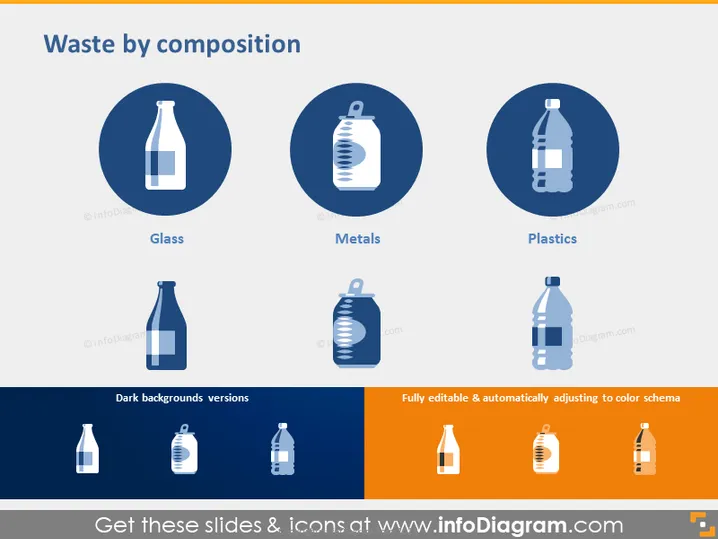
The PowerPoint slide titled "Waste by composition" presents three categories of waste materials: Glass, Metals, and Plastics. Each category is represented with a circular icon featuring a simple white graphic of a respective item: a bottle for Glass, a can for Metals, and a plastic bottle for Plastics. The icons are on a dark blue background, demonstrating the type of items that fall under each waste category and potentially their recyclability or part of waste management processes.
Graphical Look
- The slide background has a gradient of white at the top fading to a light gray at the bottom.
- There are three circular dark blue icons aligned in a row, each with a white silhouette of an item representing a waste material.
- The icon on the left depicts a glass bottle, labeled "Glass" underneath.
- The middle icon features a metal can and is labeled "Metals."
- The icon on the right shows a plastic bottle, with the label "Plastics" below it.
- The bottom section of the slide contains three smaller icons mirroring the larger ones at the top, with a label "Dark backgrounds versions."
- To the right of the smaller icons, there is a text stating "Fully editable & automatically adjusting to color schema," over a swath of orange.
The slide has a clean and professional design with clear, easy-to-understand icons representing different waste materials. The color contrasts and iconography are effectively used to convey the slide's topic visually.
Use Cases
- This slide could be used in an environmental awareness presentation to illustrate different types of waste and the importance of sorting or recycling.
- It can serve as part of an educational module about waste management and the various materials that can be recycled.
- In business settings, it could illustrate a company's sustainability efforts related to waste management and reduction.
- It may also be used in a proposal presentation for waste processing facilities, showcasing the range of materials they can handle.
How to Edit
How to edit text & colors

How to expand / shorten diagram

How to Replace Icons in infoDiagram PPT


