
Reviews
Sus gráficos añaden un toque agradable a mis presentaciones y recientemente los usé para una de mis reuniones generales. Su conjunto de herramientas añade profesionalismo a mis diapositivas. En lugar de usar imágenes prediseñadas estándar.
Necesitaba un aspecto fresco para algunas de mis diapositivas. Había intentado encontrar una forma de crear un efecto de pincel, de subrayar, acentuar, añadir algo de color y los marcadores escritos a mano fueron justo lo que necesitaba. Muy fácil de usar, fácil de ajustar el tamaño, cambiar el color. Fue una solución asequible y perfecta, y estoy feliz de recomendarla.
El aspecto nítido y limpio de los gráficos, y el hecho de que me permitiera editar y cambiar fácilmente los colores para que coincidieran con la plantilla fue mi principal razón para comprarlos.
Description
Your title
Slide Content
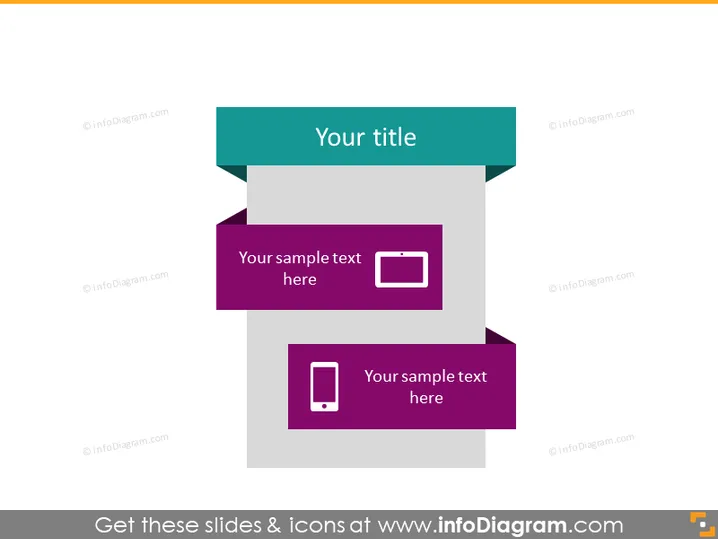
The PowerPoint slide presents a placeholder for a title and two more sections for sample text, each accompanied by an icon. The first sample text is next to a rectangle icon which symbolizes structure or stability. The second text is adjacent to a mobile device icon, which could represent communication or technology. This slide is designed to introduce a topic and then offer two specific points or ideas, each supported by an icon for visual association.
Graphical Look
- A bold, turquoise rectangular banner across the top with the phrase "Your title" in white font.
- Two stylized step-like elements in dark grey that seem to serve as a background for two subsequent text blocks.
- A deep-purple rectangular shaped call-out with rounded corners featuring the text "Your sample text here" with a white rectangle icon beside it, indicating the first content point.
- A similar call-out positioned below the first, with an identical style text block containing the same placeholder text and a white mobile device icon, indicating the second content point.
- The background of the slide is plain white, complementing the simplicity of the overall design.
The slide has a modern and sleek appearance, with a clear hierarchy of information presented through the use of contrasting colors and icons. The design facilitates easy reading and visual distinction between different sections.
Use Cases
- To introduce the main topic of a presentation and highlight two key areas or components.
- In a business strategy presentation to emphasize core areas such as objectives and technology.
- When illustrating contrasting ideas or complementary concepts in a marketing pitch.
- For educational or training sessions to outline a lesson's main subject and subsequent detailed points.
How to Edit
How to edit text & colors

How to expand / shorten diagram

How to Replace Icons in infoDiagram PPT


