
Reviews
Ihre Grafiken verleihen meinen Präsentationen eine nette Note, und ich habe sie kürzlich für eines meiner All-Hands-Meetings verwendet. Ihre Toolbox verleiht meinen Folien Professionalität, anstatt Standard-Clipart zu verwenden.
Ich brauchte einen neuen Blick auf einige meiner Folien. Ich habe versucht, einen Weg zu finden, einen Pinselschlag-Effekt zu erzielen, um zu unterstreichen, hervorzuheben, Farbe hinzuzufügen, und die handgeschriebenen Markierungen waren genau das Richtige. Sehr einfach zu bedienen, leicht in der Größe zu ändern, die Farbe zu ändern. Es war eine erschwingliche, perfekte Lösung und ich empfehle sie gerne weiter.
Die klare, saubere Optik der Grafiken und die Tatsache, dass ich die Farben leicht bearbeiten und an die Vorlage anpassen konnte, war mein Hauptgrund für den Kauf.
Description
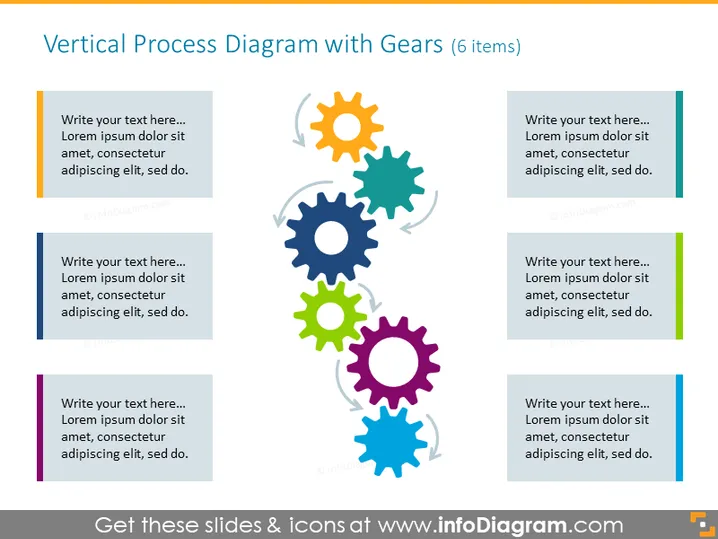
Vertical Process Diagram with Gears (6 items)
Slide Content
The slide presents a vertical process diagram with gears, suggesting a sequence or relationship among six components. Each gear has a unique color and is paired with a text box for explanatory notes. Collectively, the gears symbolize interconnectedness and motion, implying that each step is vital for the process's functionality. The text placeholders invite an elaboration on the specifics of each step, showing how they contribute to the overall mechanism.
Graphical Look
- Six gear icons aligned vertically in the center, each with a unique color: orange, light blue, dark blue, green, red, and purple.
- Colored sidebar on each gear's corresponding text box matches the gear's color, aiding visual association.
- Each text box contains a placeholder for custom text, formatted as a bullet point, emphasizing the step-by-step nature of the content.
- The gears and text boxes create a zig-zag pattern that guides the eye down the slide, emphasizing the process flow.
- The design is clean and modern, with a white background providing contrast that enhances the vibrancy of the gear icons.
The overall look conveys a systematic approach and is visually engaging with its colorful gear icons and structured layout. It is sharp and professional, suitable for conveying complex processes in a simplified manner.
Use Cases
- To illustrate the steps in a business process or workflow during a corporate presentation.
- In training materials, to explain the sequence of operations or tasks that need to be performed.
- To showcase interdepartmental or project dependencies in project management meetings.
- To display product development stages or service delivery processes in a visual and easy-to-understand format for stakeholders.
How to Edit
How to edit text & colors

How to expand / shorten diagram

How to Replace Icons in infoDiagram PPT


