

Your graphics add a nice touch to my presentations and I recently used them for one of my all-hands meetings. Your toolbox adds professionalism to my slides. Instead of using standard clipart.
Claude Jones, Director of Engineer, @Walmartlabs, USA

Your graphics add a nice touch to my presentations and I recently used them for one of my all-hands meetings. Your toolbox adds professionalism to my slides. Instead of using standard clipart.
Claude Jones, Director of Engineer, @Walmartlabs, USA
I needed a fresh look at some of my slides. I've tried to find a way to create a paintbrush effect, to underline, accentuate, add some color and the handwritten markers were just the things. Very easy to use, easy to size, change the color. It was an affordable, perfect solution and I'm happy to recommend it.
Anonymous, US
The crisp, clean look of the graphics, and the fact that it allowed me to easily edit and change the colors to match the template was my main reason for purchasing them.
Brandie Jenkins, E-learning Developer, USA
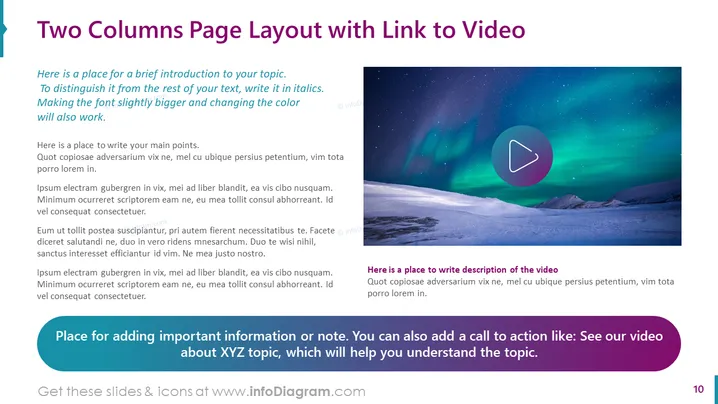
Slide Content: The PowerPoint slide is titled "Two Columns Page Layout with Link to Video," indicating a structure for presenting content alongside a multimedia element. The left column offers space for a brief introduction in italics to make it stand out and main points below, ideal for detailed exposition or argument development. The right column displays a placeholder image with a play button, suggesting an embedded video or a link to one, with an area underneath for a description of the video content. At the bottom, a highlighted section is designated for additional important information or a call to action, which can enhance viewer engagement with the presented topic.
Graphical Look:
The overall look of the slide is modern and clean, with a well-organized structure facilitating an engaging presentation of both textual and multimedia content. The use of color and space is effective in guiding the viewer's attention through the different elements of the slide.
Use Cases:



