
Reviews
Your graphics add a nice touch to my presentations and I recently used them for one of my all-hands meetings. Your toolbox adds professionalism to my slides. Instead of using standard clipart.
I needed a fresh look at some of my slides. I've tried to find a way to create a paintbrush effect, to underline, accentuate, add some color and the handwritten markers were just the things. Very easy to use, easy to size, change the color. It was an affordable, perfect solution and I'm happy to recommend it.
The crisp, clean look of the graphics, and the fact that it allowed me to easily edit and change the colors to match the template was my main reason for purchasing them.
Description
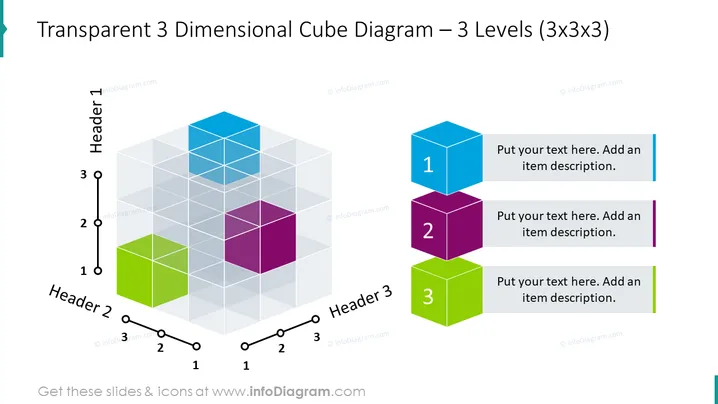
Transparent 3 Dimensional Cube Diagram – 3 Levels (3x3x3)
Slide Content
The slide features a 3D cube diagram with three levels, visually representing a structure that can be divided into three main categories along each of the three axes. Each axis is labeled "Header 1," "Header 2," and "Header 3," suggesting different dimensions or aspects for categorization. Next to the diagram, three enlarged, colored cubes numbered 1 to 3 correspond to the layers of the diagram and are accompanied by text boxes for adding detailed descriptions of each item.
Graphical Look
- A large 3D cube diagram composed of 27 smaller, transparent cubes, arranged in a 3x3x3 grid.
- The diagram is color-coded with shades of blue, purple, and green, differentiating the three levels.
- Three labeled axes—"Header 1," "Header 2," and "Header 3"—with numerical markers (1, 2, 3) along the edges of the cube, indicating the levels or dimensions.
- To the right of the diagram, there are three distinct, solid-colored cubes labeled with the numbers 1, 2, and 3, each corresponding to a different level within the 3D diagram.
- Next to each numbered cube, a text box with a matching color strip is provided, where users can add their own descriptions, enhancing the informational value of the diagram.
The slide has a clean, professional design with a focus on visualizing a multidimensional structure. The use of transparency and distinct colors aids in distinguishing the levels and aspects of the concept being presented.
Use Cases
- To illustrate complex data structures or organizational layers in a business context.
- For strategic planning presentations, outlining different stages or components of a strategy.
- In project management, demonstrating the relationships between tasks, dependencies, or project stages.
- For educational purposes, to explain a multidimensional concept or theory with a visual aid.
How to Edit
How to edit text & colors

How to expand / shorten diagram

How to Replace Icons in infoDiagram PPT


