
Reviews
Your graphics add a nice touch to my presentations and I recently used them for one of my all-hands meetings. Your toolbox adds professionalism to my slides. Instead of using standard clipart.
I needed a fresh look at some of my slides. I've tried to find a way to create a paintbrush effect, to underline, accentuate, add some color and the handwritten markers were just the things. Very easy to use, easy to size, change the color. It was an affordable, perfect solution and I'm happy to recommend it.
The crisp, clean look of the graphics, and the fact that it allowed me to easily edit and change the colors to match the template was my main reason for purchasing them.
Description
Flat Icons for Trade & Maps
Slide Content
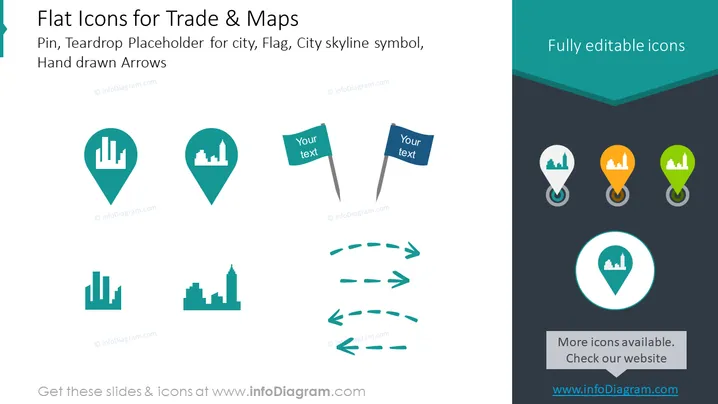
The slide presents a collection of flat icons related to trade and map navigation. It includes: pin icons with city skyline silhouettes, which could signify urban areas or places of interest; flag icons for marking specific locations or points which include text placeholders; and hand-drawn arrow graphics for depicting direction or movement. These elements are essential for presentations that involve geographical contexts or location tracking for businesses, events, or services.
Graphical Look
- The slide background is white with a slight gradient teal header and footer.
- There are two distinct sets of icons: one with teardrop-shaped map pins and another with flags.
- The map pins contain city skyline silhouettes in varying designs, suggesting different city types or important urban areas.
- The flags have stems and are paired with text placeholders, indicating points for additional information or emphasis.
- Hand-drawn arrows are styled with dashed lines to give an informal or creative aesthetic.
- The corners of the slide are rounded, softening the overall look.
- Each icon set is placed on a separate background shape: a dark grey strip for the pins and a solid teal circle for the featured pin icon.
- Textual information is provided in a clean and sans-serif font for readability.
The overall look of the slide is minimalistic and modern, with an emphasis on icons that represent geographical and urban concepts. The color scheme is cohesive and uses shades of teal, dark grey, and white, which gives the slide a professional and sleek design.
Use Cases
- For highlighting multiple locations in business presentations, like office branches or project sites.
- In marketing materials, to pinpoint areas of market penetration or target demographics.
- During planning meetings, to show routes or directions related to logistics and distribution.
- In workshops or educational settings, where visual aids are needed to teach about geography, urban planning, or trade areas.
How to Edit
How to edit text & colors

How to expand / shorten diagram

How to Replace Icons in infoDiagram PPT


