
Reviews
Your graphics add a nice touch to my presentations and I recently used them for one of my all-hands meetings. Your toolbox adds professionalism to my slides. Instead of using standard clipart.
I needed a fresh look at some of my slides. I've tried to find a way to create a paintbrush effect, to underline, accentuate, add some color and the handwritten markers were just the things. Very easy to use, easy to size, change the color. It was an affordable, perfect solution and I'm happy to recommend it.
The crisp, clean look of the graphics, and the fact that it allowed me to easily edit and change the colors to match the template was my main reason for purchasing them.
Description
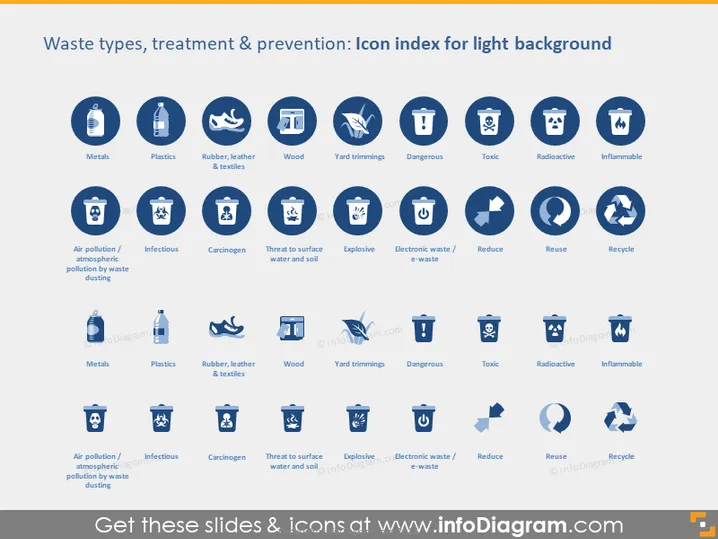
Waste types, treatment & prevention: Icon index for dark background
Slide Content
The PowerPoint slide provides an icon index for waste types, treatment, and prevention, which could be used in environmental management presentations. It categorizes waste into several types such as Metals, Plastics, Rubber/leather & textiles, Wood, and Yard trimmings, labeled with symbols that clarify their nature—a battery for Metals symbolizing e-waste, for instance. The icons also denote hazardous categories like Dangerous, Toxic, Radioactive, and Inflammable waste. Moreover, strategies for managing waste are depicted, including treatment methods like Air pollution / atmospheric pollution by waste dusting and prevention techniques such as Reduce, Reuse, and Recycle, each accompanied by descriptive imagery like factory and recycling symbols.
Graphical Look
- The slide has a dark navy blue background.
- There are four rows of icons, each with six icons, totaling 24 icons.
- Each icon is inside a light blue circle.
- Below each circle is a label in white text that describes the icon's category.
- The icons use simple white graphics against the light blue background to represent various waste types and treatment and prevention actions.
- The icons include images of containers, recycling symbols, flames, and other symbols to represent different waste types and actions.
- The font for the labels is sans-serif, clean, and easily readable.
The slide features a modern, clean design with a good contrast between the icons and the background, making it visually pleasing and easy to understand.
Use Cases
- Educating employees during a company's environmental sustainability training.
- Presenting waste management strategies in corporate sustainability reports.
- Communicating waste treatment and prevention policies at environmental conferences.
- Using as visual aids in discussions about environmental impact assessments in municipal or urban planning meetings.
How to Edit
How to edit text & colors

How to expand / shorten diagram

How to Replace Icons in infoDiagram PPT


