
Reviews
Your graphics add a nice touch to my presentations and I recently used them for one of my all-hands meetings. Your toolbox adds professionalism to my slides. Instead of using standard clipart.
I needed a fresh look at some of my slides. I've tried to find a way to create a paintbrush effect, to underline, accentuate, add some color and the handwritten markers were just the things. Very easy to use, easy to size, change the color. It was an affordable, perfect solution and I'm happy to recommend it.
The crisp, clean look of the graphics, and the fact that it allowed me to easily edit and change the colors to match the template was my main reason for purchasing them.
Description
Low-energy architecture
Slide Content
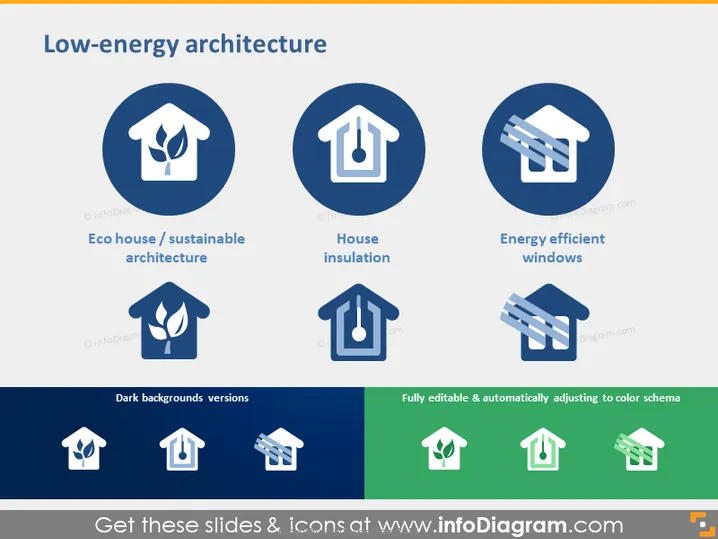
The PowerPoint slide is titled "Low-energy architecture" and presents three key concepts related to sustainable building design. The first concept, "Eco house / sustainable architecture," implies design principles that minimize environmental impact. Second, "House insulation," indicates the use of materials and methods for reducing energy loss. Finally, "Energy efficient windows" suggests the use of advanced window technologies to improve a building's energy performance. The slide shows icons representing each concept, aiming to encapsulate the essential factors in low-energy building design.
Graphical Look
- The slide features a simple and clean design with a white background.
- A large, bold title "Low-energy architecture" in navy blue is at the top.
- Below the title, there are three circular icons evenly spaced in a horizontal line, each set against a dark blue circular background.
- Each icon is a white graphic symbolizing the concept it represents: a house with leaves for "Eco house / sustainable architecture," a house with a thermometer for "House insulation," and a window with sun rays for "Energy efficient windows."
- Under each icon, there's a caption in smaller, bold type, describing the concept.
- At the bottom, there are two additional areas labeled "Dark backgrounds versions" and "Fully editable & automatically adjusting to color schema." These demonstrate the versatility of the icon designs by showing them in inverse colors on dark backgrounds.
- The icons and text are symmetrical and evenly distributed, providing a balanced visual structure.
The overall look of the slide is professional, sleek, and visually balanced, with a clear focus on modern architectural concepts related to energy efficiency. The use of icons helps to convey complex ideas quickly and effectively.
Use Cases
- Presenting sustainable design options in a real estate development meeting.
- Educating architecture students on the principles of energy-efficient building design.
- Providing a visual summary for construction companies about sustainable building practices.
- Showcasing energy-saving features in a proposal for environmentally-friendly building certification.
How to Edit
How to edit text & colors

How to expand / shorten diagram

How to Replace Icons in infoDiagram PPT


