
Reviews
Ihre Grafiken verleihen meinen Präsentationen eine nette Note, und ich habe sie kürzlich für eines meiner All-Hands-Meetings verwendet. Ihre Toolbox verleiht meinen Folien Professionalität, anstatt Standard-Clipart zu verwenden.
Ich brauchte einen neuen Blick auf einige meiner Folien. Ich habe versucht, einen Weg zu finden, einen Pinselschlag-Effekt zu erzielen, um zu unterstreichen, hervorzuheben, Farbe hinzuzufügen, und die handgeschriebenen Markierungen waren genau das Richtige. Sehr einfach zu bedienen, leicht in der Größe zu ändern, die Farbe zu ändern. Es war eine erschwingliche, perfekte Lösung und ich empfehle sie gerne weiter.
Die klare, saubere Optik der Grafiken und die Tatsache, dass ich die Farben leicht bearbeiten und an die Vorlage anpassen konnte, war mein Hauptgrund für den Kauf.
Description
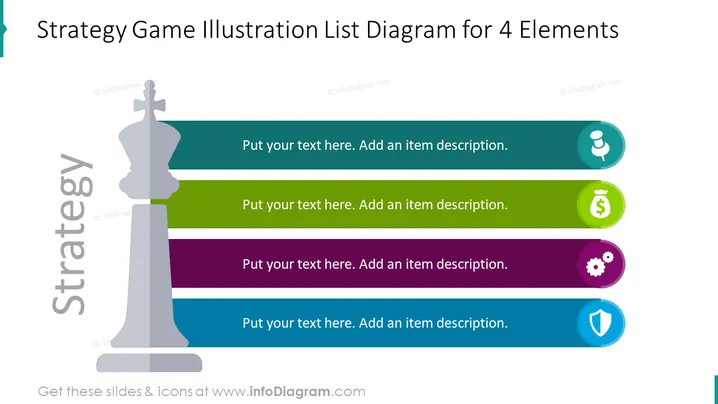
Strategy Game Illustration List Diagram for 4 Elements
Slide Content
The slide presents a framework for outlining four elements of a strategy, which could potentially be stages, pillars, or components vital to the strategy's efficacy. "Put your text here. Add an item description." placeholders indicate where descriptions for each of these four elements should be fleshed out. The elements are visually differentiated by distinct colors and icons, signifying topics like communication, finance, operations, and security.
Graphical Look
- The slide has a large, central chess piece graphic, a king, implying strategic thinking.
- Four horizontal colored banners (blue, green, purple, and teal) extend to the right of the chess piece.
- Each banner hosts a round icon on the right end, corresponding with specific themes (a microphone, a money bag, gears, and a shield).
- White text placeholders superimposed on each color strip invite user customization.
- The slide utilizes a flat design aesthetic with no gradients or shadows.
Overall, the slide has a clean and modern appearance. The use of bold colors and clear icons creates an engaging visual hierarchy that directs the viewer's attention sequentially from left to right across the information.
Use Cases
- Presenting the main components of a strategic business plan in a clear, visually engaging format.
- Itemizing the steps in a marketing or product launch strategy to a team or stakeholders.
- Use in a management training or workshop to illustrate principles of strategic analysis and planning.
- To display corporate objectives and goals during an annual general meeting or shareholder presentation.
How to Edit
How to edit text & colors

How to expand / shorten diagram

How to Replace Icons in infoDiagram PPT


