
Reviews
Your slides are my 'secret sauce' when it comes to visualising my ideas to clients. I'm saving so much time.
InfoDiagram has been a wonderful resource since I found the product site a few years ago.
Your slides often generate good comments and ideas from my team that improve the final slides.
Description
Status Harvey Balls Icons
Slide Content
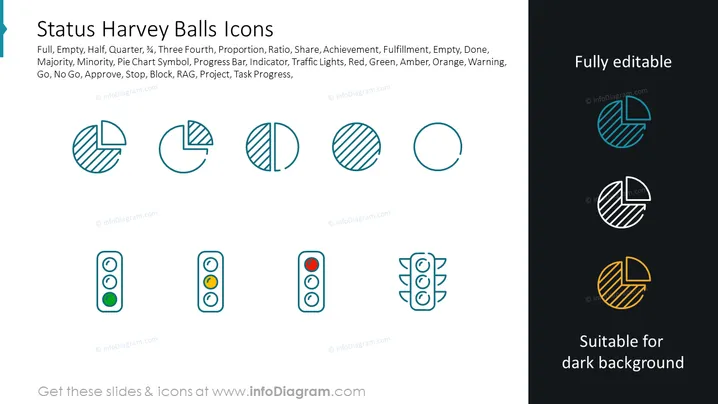
The slide is titled 'Status Harvey Balls Icons' and contains a variety of Harvey Balls graphics commonly used to represent project status levels visually. These include graphics showing full, empty, half, quarter, and three-quarter status levels, which are used to denote completion, proportion, ratio, share, or majority/minority status in data visualization. It serves as an indicator or progress bar, similar to traffic lights, to communicate go/no-go statuses, approvals, warnings, or task progress in projects.
Graphical Look
- The slide's background is white with a title in large, bold text at the top.
- There is a set of eight Harvey Balls icons aligned horizontally, illustrating various stages of completion from full to empty.
- Each icon is a simple, flat design with either solid fill or striped patterns to represent different statuses.
- Below the Harvey Balls, there are three traffic light-style indicators showing green, amber, and red lights, each in a vertical row.
- On the right-hand side, there is a note 'Fully editable' and beneath that, 'Suitable for dark background'.
- The editable note is associated with four Harvey Balls icons displayed with a phantom effect on a dark background to demonstrate visibility on different slide backgrounds.
The slide has a clean, modern look with minimalist icons. The use of monochrome colors and simple geometric shapes provides a professional and easy-to-understand visual for the viewer.
Use Cases
- To visually report the progress of different tasks or stages within a project management presentation.
- As a visual aid in business meetings to quickly communicate the status of various business initiatives or performance indicators.
- To create dashboards within strategic planning documents that track the advancement of specific goals.
- In status update meetings, to indicate the readiness or approval status of different agenda items or action points.
How to Edit
How to edit text & colors

How to expand / shorten diagram

How to Replace Icons in infoDiagram PPT


