
Reviews
Your graphics add a nice touch to my presentations and I recently used them for one of my all-hands meetings. Your toolbox adds professionalism to my slides. Instead of using standard clipart.
I needed a fresh look at some of my slides. I've tried to find a way to create a paintbrush effect, to underline, accentuate, add some color and the handwritten markers were just the things. Very easy to use, easy to size, change the color. It was an affordable, perfect solution and I'm happy to recommend it.
The crisp, clean look of the graphics, and the fact that it allowed me to easily edit and change the colors to match the template was my main reason for purchasing them.
Description
Slide Title
Slide Content
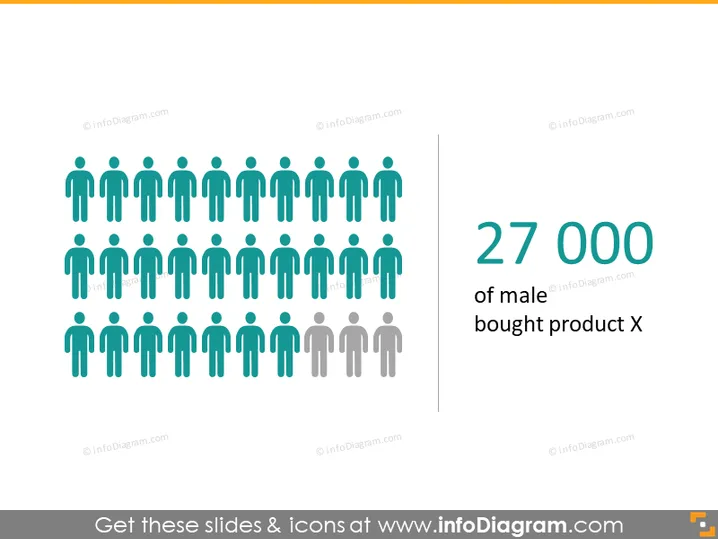
The slide presents a quantitative breakdown of male customers who purchased "product X," indicated by the large figure "27 000" followed by a textual note. The visual arrangement of stylized human figures suggests a representation of this customer segment, with the colored figures likely representing those who made a purchase while the gray figures could signify those who did not or the overall potential market size.
Graphical Look
- A series of stylized human figures are arranged in rows and columns occupying the left half of the slide.
- The figures are predominantly in a blue-green hue, with a small number at the bottom faded in gray.
- To the right, there is a large, bold number "27 000" in a teal color, drawing attention.
- The number is followed by text in gray, smaller in size, describing the statistic related to male customers buying product X.
- A vertical line separates the graphical figures from the numerical and textual information.
- The color scheme is minimalistic, with muted tones except for the highlighted numerical figure.
The overall appearance of the slide is clean and professional, with a well-arranged graphic that clearly conveys the numerical data through a visual representation. The color contrast emphasizes the key statistic.
Use Cases
- Presenting sales data in a marketing or business review meeting to showcase customer demographics.
- Visualizing market segmentation data during a sales strategy presentation to focus on a specific customer group.
- Using in investor presentations to highlight the success of a product within a particular demographic.
- Incorporating into a product performance report to convey customer reach and sales impact visually.
How to Edit
How to edit text & colors

How to expand / shorten diagram

How to Replace Icons in infoDiagram PPT


