
Reviews
Your graphics add a nice touch to my presentations and I recently used them for one of my all-hands meetings. Your toolbox adds professionalism to my slides. Instead of using standard clipart.
I needed a fresh look at some of my slides. I've tried to find a way to create a paintbrush effect, to underline, accentuate, add some color and the handwritten markers were just the things. Very easy to use, easy to size, change the color. It was an affordable, perfect solution and I'm happy to recommend it.
The crisp, clean look of the graphics, and the fact that it allowed me to easily edit and change the colors to match the template was my main reason for purchasing them.
Description
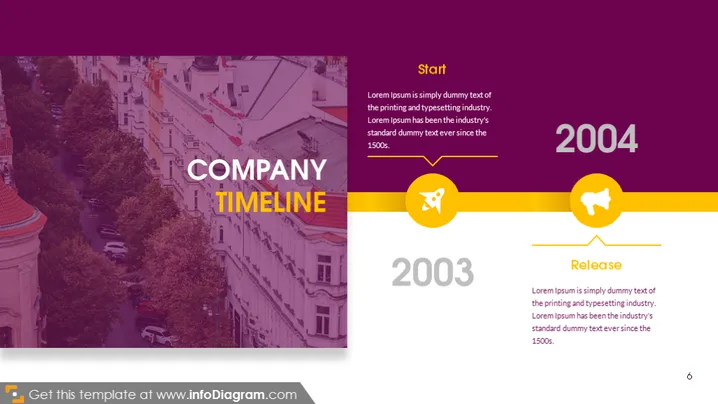
COMPANY TIMELINE
Slide Content
The PowerPoint slide titled "COMPANY TIMELINE" presents a simplified timeline of significant events in a company's history, displayed in a linear fashion from left to right. The timeline includes two key milestones, "Start" and "Release," marked by the years 2003 and 2004, respectively. Each milestone features an icon, a brief dummy text placeholder explaining the significance of the event, and highlights the company’s progression over time, suggesting phases of establishment and product release.
Graphical Look
- The background is a faded photograph of a cityscape, predominantly displaying buildings and a treelined street.
- Overlaid on the background is a semi-transparent purple filter that spans the entirety of the slide.
- The slide title "COMPANY TIMELINE" is prominently displayed in large white uppercase letters on the left side, accented by a yellow horizontal stripe beneath the text.
- Two rounded rectangular shapes, one for each year (2003 and 2004), are situated on the right side of the slide. These shapes have a gradient yellow fill.
- Each shape contains a white icon symbolizing the event— a rocket for "Start" in 2003, and a flag for "Release" in 2004.
- A thin, connecting timeline runs through these rectangles, implying a chronological progression.
- Text boxes with dummy text are positioned adjacent to each year, providing a place for further details about the events.
The overall look is modern and stylish, with a good contrast between the photo background and the overlaid timeline elements. The use of colors and icons efficiently conveys key points on the company's timeline.
Use Cases
- To present a company's history or milestone achievements during a corporate meeting or investor pitch.
- For showcasing the timeline of product development stages in a business plan presentation or product launch presentation.
- To highlight important dates and events during a company anniversary or celebratory presentation.
- As an engaging visual element in marketing materials to demonstrate the company's evolution to potential clients or partners.
How to Edit
How to edit text & colors

How to expand / shorten diagram

How to Replace Icons in infoDiagram PPT


