
Reviews
Your graphics add a nice touch to my presentations and I recently used them for one of my all-hands meetings. Your toolbox adds professionalism to my slides. Instead of using standard clipart.
I needed a fresh look at some of my slides. I've tried to find a way to create a paintbrush effect, to underline, accentuate, add some color and the handwritten markers were just the things. Very easy to use, easy to size, change the color. It was an affordable, perfect solution and I'm happy to recommend it.
The crisp, clean look of the graphics, and the fact that it allowed me to easily edit and change the colors to match the template was my main reason for purchasing them.
Description
Spring Spiral for 5 Items Models - Energetic Version
Slide Content
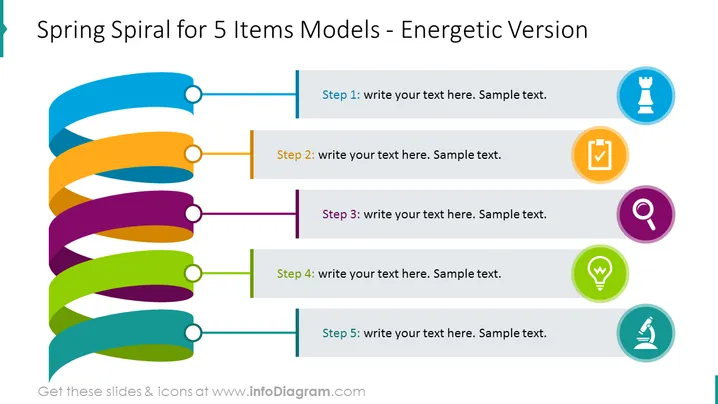
The slide titled "Spring Spiral for 5 Items Models - Energetic Version" depicts a process or a sequence involving five steps. Each step is represented by a colorful spiral segment connected to a text box with a placeholder for descriptions. The vibrant colors and the dynamic arrangement suggest a flow or progression from one step to the next, implying a developmental or phased approach in whatever topic the slide intends to discuss. This visualization is typically used to elaborate on a multi-stage process or a set of instructions.
Graphical Look
- The slide background is plain white, providing a clean and neutral canvas for the content.
- An animated spiral graphic with five distinct colored segments (blue, orange, purple, green, lime) spans from top to bottom along the left side of the slide.
- Each segment is associated with a circular white node with a gray outline, serving as connection points.
- Horizontally aligned to each node, there are rectangular text boxes with gray borders, containing the placeholder text "Step" followed by the step number and sample text.
- Next to each text box, a circular icon with a light border complementing the color of the spiral segment it corresponds to, contains a symbol within – a chess piece, a checkmark, a magnifying glass, a light bulb, and a microscope respectively.
The overall look of the slide is modern and dynamic, prioritizing clarity and visual interest. The color-coded steps and corresponding icons add an element of intuitive navigation through the content, making it visually appealing and easy to follow.
Use Cases
- Illustrating the phases of a project, showing the progression from initiation to completion.
- Describing a step-by-step process in a training or instructional presentation.
- Outlining the order of operations in a business plan or strategy presentation.
- Summarizing a sequence of events or milestones in a product development timeline.
How to Edit
How to edit text & colors

How to expand / shorten diagram

How to Replace Icons in infoDiagram PPT


