
Reviews
Sus gráficos añaden un toque agradable a mis presentaciones y recientemente los usé para una de mis reuniones generales. Su conjunto de herramientas añade profesionalismo a mis diapositivas. En lugar de usar imágenes prediseñadas estándar.
Necesitaba un aspecto fresco para algunas de mis diapositivas. Había intentado encontrar una forma de crear un efecto de pincel, de subrayar, acentuar, añadir algo de color y los marcadores escritos a mano fueron justo lo que necesitaba. Muy fácil de usar, fácil de ajustar el tamaño, cambiar el color. Fue una solución asequible y perfecta, y estoy feliz de recomendarla.
El aspecto nítido y limpio de los gráficos, y el hecho de que me permitiera editar y cambiar fácilmente los colores para que coincidieran con la plantilla fue mi principal razón para comprarlos.
Description
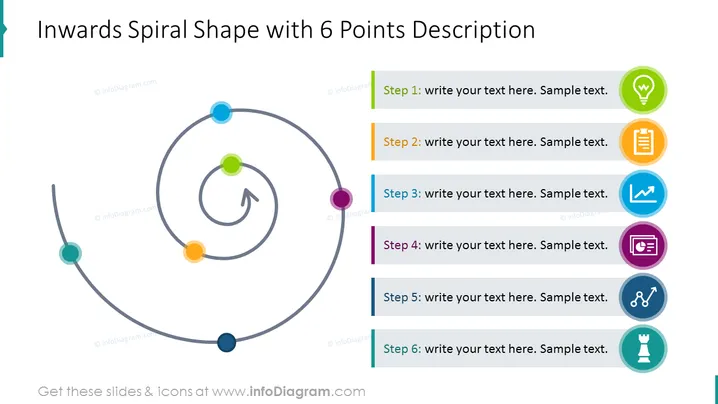
Inwards Spiral Shape with 6 Points Description
Slide Content
The slide presents an inward spiral progression with six distinct stages. Each stage is represented by a colored circle and has a space for a description next to it. The layout suggests a sequential process that circles back to a central point, implying a cyclical review or iterative process.
Graphical Look
- The slide’s background is white, providing a clean, uncluttered canvas for the content.
- A large, gray inwards spiral shape occupies the left half of the slide with colored circles indicating different stages.
- Each colored circle aligns with a rectangular colored bar on the right side, which contains placeholder text indicating steps 1 through 6.
- The placeholder text is presented in a dark font color, ensuring readability against the light background.
- Accompanying each step are icons to the right, matching the color of the respective stage circle and bar, adding a visual category icon for each step.
- An arrowhead points from the innermost circle outward, suggesting a return to the start or a connection to a larger cycle.
The slide is balanced, with graphical elements on the left and text content on the right. Color coding unifies the design and aids in distinguishing between stages.
Use Cases
- Outlining the steps in a process improvement cycle, where each iteration circles back to the point of origin for review.
- Describing the phases of a product development process that requires revisiting previous steps for refinement.
- Illustrating customer feedback loops in a service improvement plan.
- Presenting stages in a continuous learning and development framework for individuals or teams.
How to Edit
How to edit text & colors

How to expand / shorten diagram

How to Replace Icons in infoDiagram PPT


