

Your graphics add a nice touch to my presentations and I recently used them for one of my all-hands meetings. Your toolbox adds professionalism to my slides. Instead of using standard clipart.
Claude Jones, Director of Engineer, @Walmartlabs, USA

Your graphics add a nice touch to my presentations and I recently used them for one of my all-hands meetings. Your toolbox adds professionalism to my slides. Instead of using standard clipart.
Claude Jones, Director of Engineer, @Walmartlabs, USA
I needed a fresh look at some of my slides. I've tried to find a way to create a paintbrush effect, to underline, accentuate, add some color and the handwritten markers were just the things. Very easy to use, easy to size, change the color. It was an affordable, perfect solution and I'm happy to recommend it.
Anonymous, US
The crisp, clean look of the graphics, and the fact that it allowed me to easily edit and change the colors to match the template was my main reason for purchasing them.
Brandie Jenkins, E-learning Developer, USA
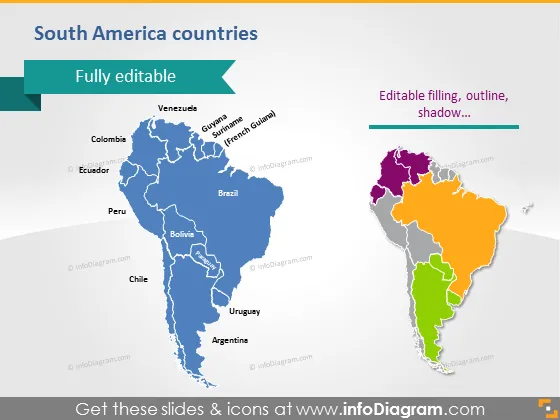
The PowerPoint slide titled "South America countries" showcases the editable features of a map template, which can be tailored to specific presentation needs. The slide exhibits two maps of South America side by side, with the left map highlighted in varying shades of blue and the right map in a mix of purple, green, and orange. The left map emphasizes its full editability while the right one details the aspects that can be customized, such as filling, outline, and shadow, indicating that different countries or regions could be emphasized for educational or business purposes.
The overall look of the slide is modern and clean, with a focused use of color to draw attention to editability features. The abstract background provides visual interest without distracting from the primary content.



