
Reviews
Your graphics add a nice touch to my presentations and I recently used them for one of my all-hands meetings. Your toolbox adds professionalism to my slides. Instead of using standard clipart.
I needed a fresh look at some of my slides. I've tried to find a way to create a paintbrush effect, to underline, accentuate, add some color and the handwritten markers were just the things. Very easy to use, easy to size, change the color. It was an affordable, perfect solution and I'm happy to recommend it.
The crisp, clean look of the graphics, and the fact that it allowed me to easily edit and change the colors to match the template was my main reason for purchasing them.
Description
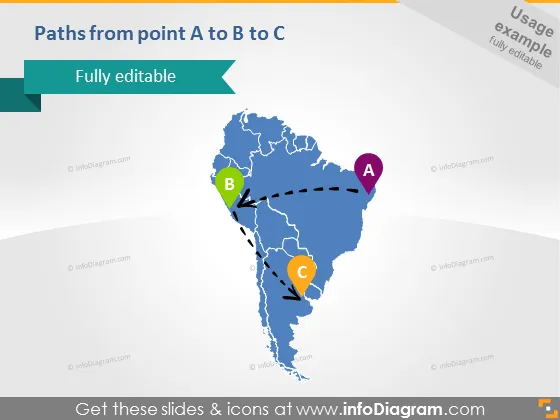
Paths from point A to B to C
Slide Content
The slide shows a conceptual journey or process moving from point A to point B and then to point C, illustrated using a stylized map. Point A is marked with a circular purple icon, Point B with a green icon, and Point C with an orange icon. Dotted lines with arrows indicate the direction of movement from A to B and then to B to C, suggesting a sequential progression or pathway that might represent stages, milestones, or locations in a process.
Graphical Look
- The slide features a large, light-blue silhouette of a stylized map, possibly representing South America.
- Dotted lines connect three circular icons labeled A, B, and C with arrows, showing a path from A to B to C.
- The icons for points A, B, and C are prominent, with each having a distinct color: purple, green, and orange respectively.
- The title of the slide, "Paths from point A to B to C," is positioned in the upper left corner, in white text against a dark background.
- The background of the slide is a gradient from white to pale blue at the bottom edge.
- A banner-like object with the text "Fully editable" is found below the slide title, designed with a modern folded look.
The slide is very visually appealing with a clean design. The usage of the map and colored icons makes it easy to understand the concept of progression or navigation from one point to another.
Use Cases
- Illustrating the steps involved in a logistics or supply chain management from origin to destination.
- Presenting the progression of a project with key phases or milestones.
- Explaining a strategic plan or roadmap for business expansion, including targeted regions or markets.
- Outlining a journey or itinerary for a travel-related presentation, showing key stopovers or destinations.
How to Edit
How to edit text & colors

How to expand / shorten diagram

How to Replace Icons in infoDiagram PPT


