
Reviews
Ihre Grafiken verleihen meinen Präsentationen eine nette Note, und ich habe sie kürzlich für eines meiner All-Hands-Meetings verwendet. Ihre Toolbox verleiht meinen Folien Professionalität, anstatt Standard-Clipart zu verwenden.
Ich brauchte einen neuen Blick auf einige meiner Folien. Ich habe versucht, einen Weg zu finden, einen Pinselschlag-Effekt zu erzielen, um zu unterstreichen, hervorzuheben, Farbe hinzuzufügen, und die handgeschriebenen Markierungen waren genau das Richtige. Sehr einfach zu bedienen, leicht in der Größe zu ändern, die Farbe zu ändern. Es war eine erschwingliche, perfekte Lösung und ich empfehle sie gerne weiter.
Die klare, saubere Optik der Grafiken und die Tatsache, dass ich die Farben leicht bearbeiten und an die Vorlage anpassen konnte, war mein Hauptgrund für den Kauf.
Description
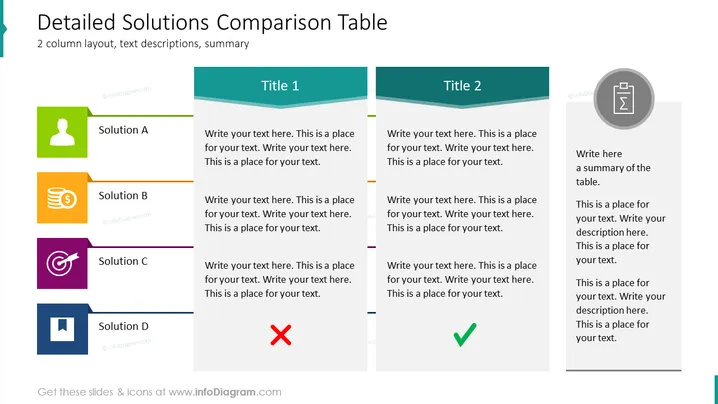
##2-Column Solution Comparisons Table This slide contains a PowerPoint comparison table as a way to compare two or more solutions side by side, in a detailed manner. You could use this comparison table if you want to compare solutions/fixes in a more in-depth way e.g. possible ways to improve your website's UX, or how to quickly sell two product types that are in surplus. This can also be used to create a visually pleasing & effective presentation, alongside graphs and other diagrams, on solutions for issues that your company is facing to help you or others concerned to make decisions e.g. methods on how to clearly communicate new products to your customers. You could also adapt this to other topics such as comparing products, strategies, or a comparison of your competitors.
##Slide contents: Solution Comparison PPT, Vector Graphic Illustrations, Headers, Text Boxes, Line Graphics, Person Icon, Money Icon, Target Icon, Resizable Shapes, White Background
How to Edit
How to edit text & colors

How to expand / shorten diagram

How to Replace Icons in infoDiagram PPT


