
Your graphics add a nice touch to my presentations and I recently used them for one of my all-hands meetings. Your toolbox adds professionalism to my slides. Instead of using standard clipart.
Claude Jones, Director of Engineer, @Walmartlabs, USA

Your graphics add a nice touch to my presentations and I recently used them for one of my all-hands meetings. Your toolbox adds professionalism to my slides. Instead of using standard clipart.
Claude Jones, Director of Engineer, @Walmartlabs, USA

I needed a fresh look at some of my slides. I've tried to find a way to create a paintbrush effect, to underline, accentuate, add some color and the handwritten markers were just the things. Very easy to use, easy to size, change the color. It was an affordable, perfect solution and I'm happy to recommend it.
Anonymous, US
The crisp, clean look of the graphics, and the fact that it allowed me to easily edit and change the colors to match the template was my main reason for purchasing them.
Brandie Jenkins, E-learning Developer, USA
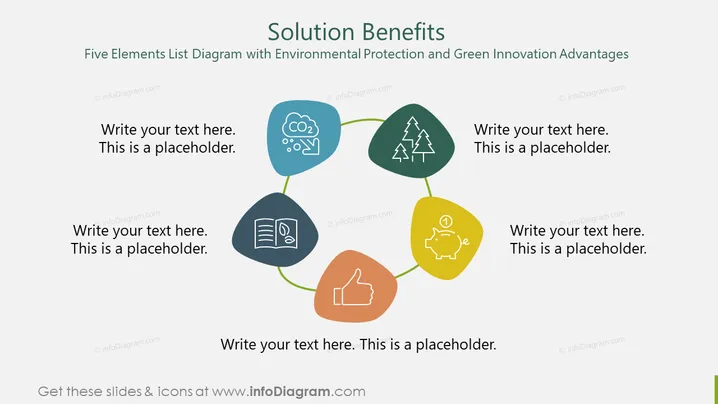
The PowerPoint slide titled "Solution Benefits" appears to discuss the advantages of a solution in the context of environmental protection and green innovation. It features a five elements list diagram, each depicted by a colored shape connected in a loop, symbolizing an integrated approach. he elements include a blue droplet with CO2, possibly emphasizing carbon footprint reduction. The green tree icon might denote reforestation or sustainable land use. The yellow piggy bank suggests economic savings or financial incentives for green practices. The brown thumb-up indicates public or social approval for environmentally friendly actions. Finally, the blue book icon likely stands for education or knowledge dissemination about environmental issues.
The overall look of the slide is professional and modern, with a clear visual representation of interconnected concepts. The use of color-coding and simple icons makes it easy to identify each element at a glance.


