
Reviews
Sus gráficos añaden un toque agradable a mis presentaciones y recientemente los usé para una de mis reuniones generales. Su conjunto de herramientas añade profesionalismo a mis diapositivas. En lugar de usar imágenes prediseñadas estándar.
Necesitaba un aspecto fresco para algunas de mis diapositivas. Había intentado encontrar una forma de crear un efecto de pincel, de subrayar, acentuar, añadir algo de color y los marcadores escritos a mano fueron justo lo que necesitaba. Muy fácil de usar, fácil de ajustar el tamaño, cambiar el color. Fue una solución asequible y perfecta, y estoy feliz de recomendarla.
El aspecto nítido y limpio de los gráficos, y el hecho de que me permitiera editar y cambiar fácilmente los colores para que coincidieran con la plantilla fue mi principal razón para comprarlos.
Description
Connected House
Slide Content
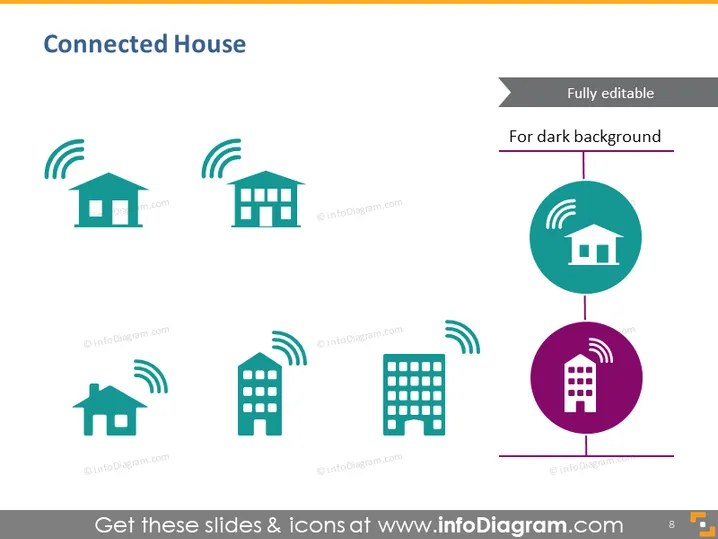
The PowerPoint slide titled 'Connected House' focuses on various types of buildings that are presumably equipped with smart connectivity features, illustrated through icons of houses and buildings with Wi-Fi signals. A small house, a suburban house, and an apartment building are depicted to showcase the range of residential structures that can be part of a connected network, suggesting the ubiquity of smart home technology. The centralized icon with a larger Wi-Fi signal could represent the core of the connected network or a central hub that manages the smart ecosystem within these domiciles.
Graphical Look
- The slide has a clean, modern design with a light blue and grey color scheme on a white background with vibrant purple accents.
- Four icons representing different types of houses/buildings are evenly distributed across the slide, each emitting a stylized Wi-Fi signal.
- The Wi-Fi signals are represented by three curved lines above each building, indicating that the buildings have wireless connectivity.
- Two of the buildings are featured inside circular shapes; one in teal at the top right and the other in purple at the bottom right, drawing attention and likely signifying importance or functionality.
- A grey banner at the top right states "Fully editable" and "For dark background", which appears to be an editing note for the slide.
- There is a page number "8" at the bottom right corner.
- All icons and texts are well-aligned, giving the slide a structured and balanced look.
The overall look of the slide is professional and visually engaging, using iconography to convey the concept of wireless connectivity within various types of dwellings.
Use Cases
- Introducing smart home technology features in a real estate presentation to highlight connectivity amenities in new housing developments.
- Outlining technological infrastructure capabilities in a city planning meeting, emphasizing the integration of smart buildings.
- Sales presentations by companies that specialize in home automation, showcasing the versatility of their products across different dwellings.
- Educational seminars or workshops explaining the concept and benefits of connected living in urban and suburban areas.
How to Edit
How to edit text & colors

How to expand / shorten diagram

How to Replace Icons in infoDiagram PPT


