
Reviews
Your graphics add a nice touch to my presentations and I recently used them for one of my all-hands meetings. Your toolbox adds professionalism to my slides. Instead of using standard clipart.
I needed a fresh look at some of my slides. I've tried to find a way to create a paintbrush effect, to underline, accentuate, add some color and the handwritten markers were just the things. Very easy to use, easy to size, change the color. It was an affordable, perfect solution and I'm happy to recommend it.
The crisp, clean look of the graphics, and the fact that it allowed me to easily edit and change the colors to match the template was my main reason for purchasing them.
Description
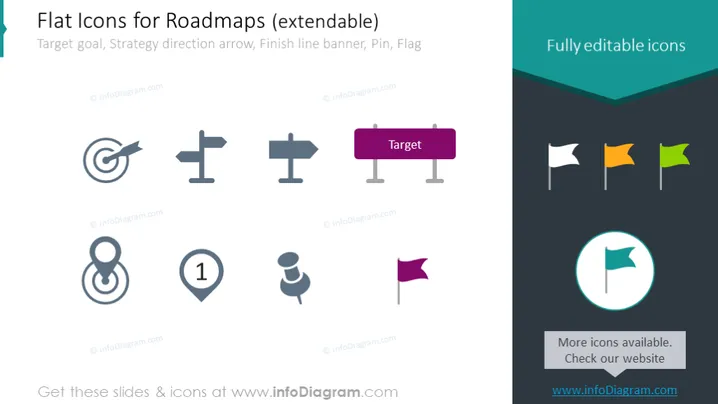
Flat Icons for Roadmaps (extendable)
Slide Content
The slide appears to be offering a collection of flat icons designed for use in creating roadmaps. These icons represent the concepts of a target goal, strategy direction, finish line banner, pin, and flag, which are essential elements for visualizing progression, objectives, and milestones in project management or strategic planning contexts.
- The target icon symbolizes the objectives or goals that need to be achieved.
- Strategy direction arrows suggest the paths or actions that should be taken to reach the goals.
- A finish line banner might represent the completion of a milestone or the end of a project.
- Pins are typically used to mark specific points of interest or importance on a roadmap.
- Flags often denote achievements, checkpoints, or significant stages along the roadmap.
Graphical Look
- A large title in a teal header at the top, in a sans-serif font, reads "Flat Icons for Roadmaps (extendable)"
- Below the header, the slide is divided into two sections with a subtle color contrast between light and dark teal.
- On the left side, there is a collection of six gray scale icons, including:
- a bullseye target,
- dual directional signposts,
- a figure 8 or infinity symbol,
- a location marker with the number 1,
- a pushpin,
- and a rectangle with a corner flag.
- On the right side, there is a collection of four colorful flag icons next to a larger circular icon with a teal flag, placed inside a light circle against a dark teal background a caption saying "Fully editable icons."
- A text box with a dark teal background at the bottom right promotes more available icons and directs viewers to the website.
The slide has a modern, minimalist aesthetic with flat design elements and a color palette that contrasts grayscale with pops of bright, saturated colors.
Use Cases
- Util Here is a description of the PowerPoint slide image you provided:
Graphical Look
- The title "Flat Icons for Roadmaps (extendable)" is in a bold, sans-serif font against a turquoise banner.
- Icons are arranged in two rows, with three icons in each row.
- The top row consists of (from left to right): a target, signposts in both directions, and a target sign with the word "Target".
- The bottom row has (from left to right): an infinity loop, a numbered pin, and a map marker.
- On the right, there are colorful pin flags in white, yellow, and green, and a larger icon circle with a flag within a highlighted turquoise circle.
- The slide background is plain white for the left portion and transitions to a darker turquoise on the right.
The slide has a clean and professional look with a balanced mix of grayscale and colorful icons. It uses simple, flat design elements to convey a modern feel.
Use Cases
- This slide could be used in a business presentation for project planning or strategy sessions to depict different stages or milestones.
- It could help visualize processes or workflows in training materials.
- The icons might be included in marketing materials to represent the journey a customer might take.
- This type of slide could be useful in discussing goals and objectives during team meetings or workshops.
How to Edit
How to edit text & colors

How to expand / shorten diagram

How to Replace Icons in infoDiagram PPT


