
Reviews
Sus gráficos añaden un toque agradable a mis presentaciones y recientemente los usé para una de mis reuniones generales. Su conjunto de herramientas añade profesionalismo a mis diapositivas. En lugar de usar imágenes prediseñadas estándar.
Necesitaba un aspecto fresco para algunas de mis diapositivas. Había intentado encontrar una forma de crear un efecto de pincel, de subrayar, acentuar, añadir algo de color y los marcadores escritos a mano fueron justo lo que necesitaba. Muy fácil de usar, fácil de ajustar el tamaño, cambiar el color. Fue una solución asequible y perfecta, y estoy feliz de recomendarla.
El aspecto nítido y limpio de los gráficos, y el hecho de que me permitiera editar y cambiar fácilmente los colores para que coincidieran con la plantilla fue mi principal razón para comprarlos.
Description
Services
Slide Content
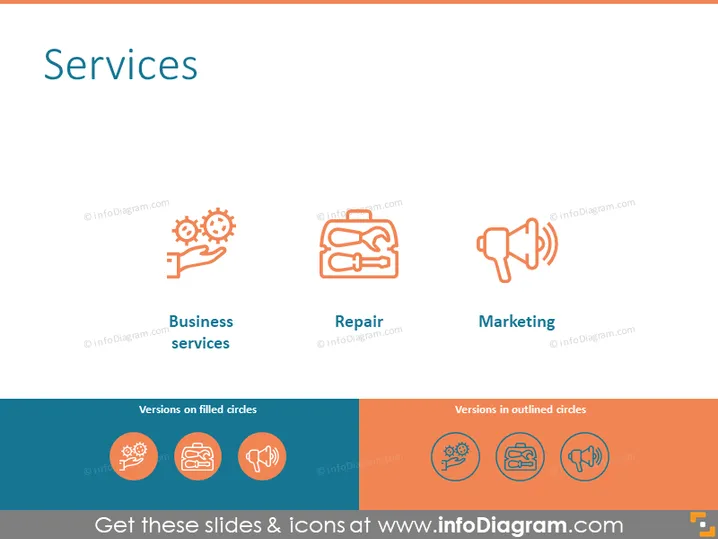
The slide presents three main service categories: Business services, Repair, and Marketing. Each category is accompanied by an icon, suggesting the nature of the service. The 'Business services' includes an icon of gears and a hand, symbolizing processes or systems managed by people. 'Repair' features a toolbox icon, indicating fixing or maintenance services. 'Marketing' is represented by a megaphone icon, suggesting advertising or promotional activities.
Graphical Look
- The slide has a clean, minimalist design with a white background and a header titled "Services" at the top in large, bold typeface.
- There are three columns, each with a distinct icon and a caption underneath in bold, identifying the type of service.
- The icons feature a two-tone color scheme using shades of orange and gray, creating a modern and cohesive look.
- The text under each icon is concise and descriptive, with the title of the service in a slightly larger font than the descriptive text.
- Below the three columns, there is a contrasting dark blue bar with text "Versions on filled circles" on the left and a bright orange bar with the text "Versions in outlined circles" on the right in white font.
- These bars seem to denote different stylistic options for the icons.
The overall look of the slide is professional and polished, with a color palette that is both eye-catching and harmonious. The use of icons helps to quickly convey the concepts at a glance.
Use Cases
- Presenting an overview of services offered by a company to potential clients or partners.
- Highlighting key areas of expertise within a business proposal or pitch presentation.
- Using in internal meetings to discuss the scope of services provided by different departments.
- Incorporating into marketing materials to visually represent the variety of services available to customers.
How to Edit
How to edit text & colors

How to expand / shorten diagram

How to Replace Icons in infoDiagram PPT


