
Reviews
Sus gráficos añaden un toque agradable a mis presentaciones y recientemente los usé para una de mis reuniones generales. Su conjunto de herramientas añade profesionalismo a mis diapositivas. En lugar de usar imágenes prediseñadas estándar.
Necesitaba un aspecto fresco para algunas de mis diapositivas. Había intentado encontrar una forma de crear un efecto de pincel, de subrayar, acentuar, añadir algo de color y los marcadores escritos a mano fueron justo lo que necesitaba. Muy fácil de usar, fácil de ajustar el tamaño, cambiar el color. Fue una solución asequible y perfecta, y estoy feliz de recomendarla.
El aspecto nítido y limpio de los gráficos, y el hecho de que me permitiera editar y cambiar fácilmente los colores para que coincidieran con la plantilla fue mi principal razón para comprarlos.
Description
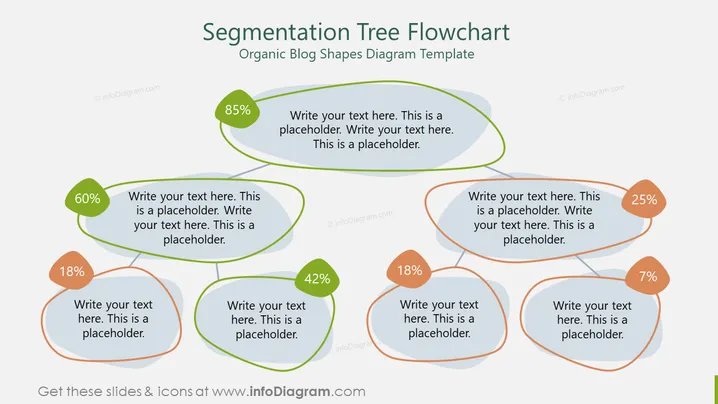
Segmentation Tree Flowchart
Slide Content:
The PowerPoint slide appears to be a template for a Segmentation Tree Flowchart, used for illustrating various segments or proportions of a whole. Each segment is represented by an organic blob shape with a percentage, suggesting parts of a dataset or components of a project. The segments are interconnected, implying a relationship or flow between the different segments. The text placeholders suggest that specific details can be added to provide context or explain the significance of each segment.
Graphical Look:
- The slide background is white.
- The title is at the top, in bold, with a smaller subtitle beneath it.
- There are seven organic blob shapes of varying sizes and colors, each with a percentage label.
- The blob shapes are connected by lines, forming a tree-like structure.
- Each blob shape has a corresponding text box with placeholder text.
- The blobs are outlined with a thin green or orange stroke.
The overall look of the slide is clean and modern, with a colorful and organic design. The use of blob shapes and connecting lines creates a dynamic and interconnected flowchart feel.
Use Cases:
- To present market segmentation and consumer demographics in a marketing presentation.
- To illustrate the breakdown of resources or budget allocations in a project management meeting.
- To show organizational structure or department interconnections in a company overview.
- To display survey results or data distributions in a research presentation.
How to Edit
How to edit text & colors

How to expand / shorten diagram

How to Replace Icons in infoDiagram PPT


