
Reviews
Your graphics add a nice touch to my presentations and I recently used them for one of my all-hands meetings. Your toolbox adds professionalism to my slides. Instead of using standard clipart.
I needed a fresh look at some of my slides. I've tried to find a way to create a paintbrush effect, to underline, accentuate, add some color and the handwritten markers were just the things. Very easy to use, easy to size, change the color. It was an affordable, perfect solution and I'm happy to recommend it.
The crisp, clean look of the graphics, and the fact that it allowed me to easily edit and change the colors to match the template was my main reason for purchasing them.
Description
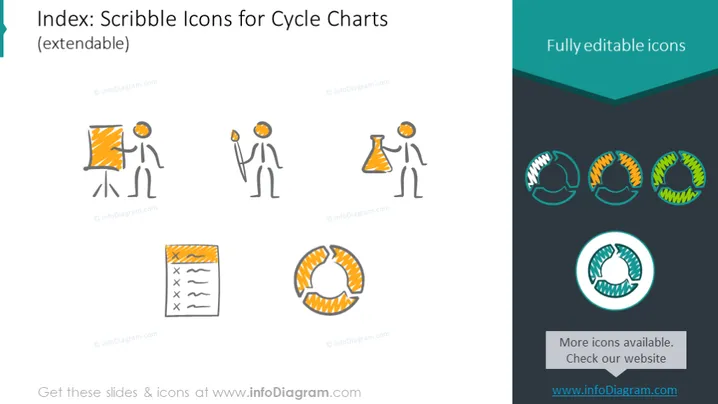
Index: Scribble Icons for Cycle Charts (extendable)
Slide Content
The PowerPoint slide presents a collection of hand-drawn or 'scribble' style icons specifically designed to represent stages in a cycle chart. The icons include a figure beside a flipchart, representing a presentation or training scenario that starts the cycle. Another icon shows the same figure with a beaker, signifying experimentation or research. These are followed by a notepad icon, likely to signify planning or record-keeping, and finally, a series of interconnected circular arrows, symbolizing the cyclic nature of the process or a feedback loop.
Graphical Look
- The background is white with a large teal header at the top containing the slide title in white text.
- On the left, there are three separate scribble-style icons: a person with a flipchart, a person with a beaker, and a notepad with checkmarks.
- On the right, there are four versions of a circular arrow cycle icon, each with different color accents: grey, orange, yellow, and teal.
- At the top right, there's a text box with "Fully editable icons" on a teal background.
- Above the bottom right cycle icon, there is a circular, zoomed-in highlight with a teal border and a drop shadow effect.
- Each icon is bordered by a faint grey rectangle with rounded corners, suggesting a clickable and selectable area.
The slide's overall look is modern and minimalist, using contrasting colors and simple shapes. Scribble icons give it an informal and creative feel, while the layout is clean and organized.
Use Cases
- To describe different stages of a business process or workflow in an informal or engaging manner.
- For educational presentations aiming to illustrate concepts with a more approachable, hand-drawn aesthetic.
- During brainstorming sessions where visual representations can stimulate ideas and discussions.
- In marketing materials to showcase a company's unique approach or to break down services into relatable steps.
How to Edit
How to edit text & colors

How to expand / shorten diagram

How to Replace Icons in infoDiagram PPT


