
Reviews
Ihre Grafiken verleihen meinen Präsentationen eine nette Note, und ich habe sie kürzlich für eines meiner All-Hands-Meetings verwendet. Ihre Toolbox verleiht meinen Folien Professionalität, anstatt Standard-Clipart zu verwenden.
Ich brauchte einen neuen Blick auf einige meiner Folien. Ich habe versucht, einen Weg zu finden, einen Pinselschlag-Effekt zu erzielen, um zu unterstreichen, hervorzuheben, Farbe hinzuzufügen, und die handgeschriebenen Markierungen waren genau das Richtige. Sehr einfach zu bedienen, leicht in der Größe zu ändern, die Farbe zu ändern. Es war eine erschwingliche, perfekte Lösung und ich empfehle sie gerne weiter.
Die klare, saubere Optik der Grafiken und die Tatsache, dass ich die Farben leicht bearbeiten und an die Vorlage anpassen konnte, war mein Hauptgrund für den Kauf.
Description
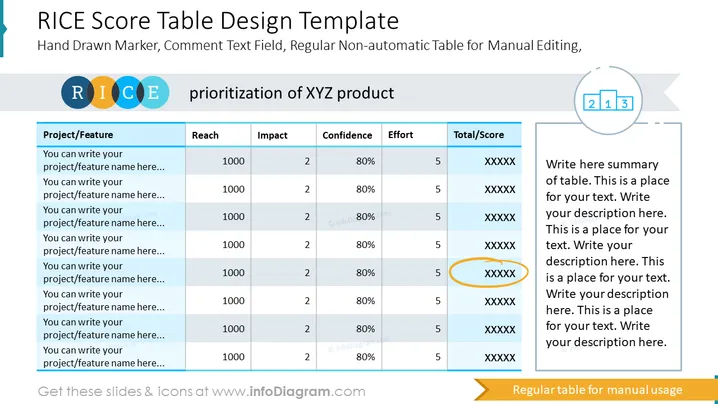
This slide contains RICE score tables examples of a product you're currently working on developing or improving. We left out space for up to eight features, however, you can add or delete extra columns according to your needs. We have presented it with a non-automatic table for manual editing and added a hand-drawn marker, and a comment field for any additional remarks you would like to add. Explain each of the feature's impact through the RICE elements, and the final score. Then you can present this PowerPoint template to your team and explain your analysis conclusion.
##Slide infographic description:
RICE Scoring Table. Table Column Layout Design, Colorful Ribbon Banner, Text Block, Scoring Level Icon, Outline Icons
How to Edit
How to edit text & colors

How to expand / shorten diagram

How to Replace Icons in infoDiagram PPT


