
Your graphics add a nice touch to my presentations and I recently used them for one of my all-hands meetings. Your toolbox adds professionalism to my slides. Instead of using standard clipart.
Claude Jones, Director of Engineer, @Walmartlabs, USA
Your graphics add a nice touch to my presentations and I recently used them for one of my all-hands meetings. Your toolbox adds professionalism to my slides. Instead of using standard clipart.
Claude Jones, Director of Engineer, @Walmartlabs, USA
I needed a fresh look at some of my slides. I've tried to find a way to create a paintbrush effect, to underline, accentuate, add some color and the handwritten markers were just the things. Very easy to use, easy to size, change the color. It was an affordable, perfect solution and I'm happy to recommend it.
Anonymous, US
The crisp, clean look of the graphics, and the fact that it allowed me to easily edit and change the colors to match the template was my main reason for purchasing them.
Brandie Jenkins, E-learning Developer, USA
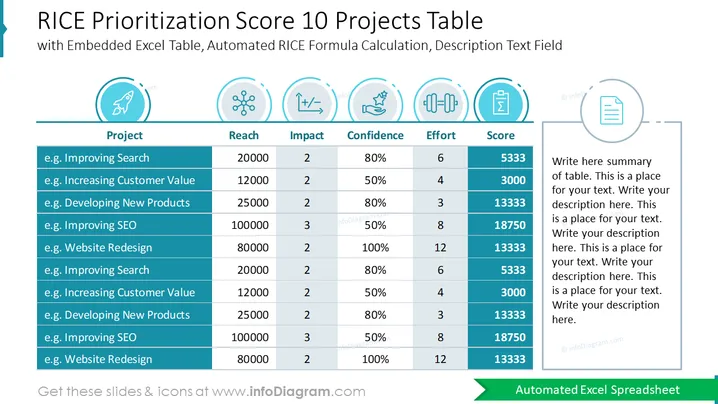
The slide is a RICE Prioritization Score table for 10 different projects, implementing a strategic framework that quantifies project priority. This model considers four factors: Reach, Impact, Confidence, and Effort. Each project listed has hypothetical data under these categories, with the final 'Score' reflecting an automated calculation following the RICE formula. The higher the score, the greater the priority. The placeholder on the right is provided for a summary of the table or additional descriptive text regarding the methodology or outcomes.
The overall visual composition is clean and professional, with a blue and teal color scheme promoting a sense of clarity and organization. The use of icons and color highlights helps to differentiate the various elements of the RICE scoring system.




