
Reviews
Sus gráficos añaden un toque agradable a mis presentaciones y recientemente los usé para una de mis reuniones generales. Su conjunto de herramientas añade profesionalismo a mis diapositivas. En lugar de usar imágenes prediseñadas estándar.
Necesitaba un aspecto fresco para algunas de mis diapositivas. Había intentado encontrar una forma de crear un efecto de pincel, de subrayar, acentuar, añadir algo de color y los marcadores escritos a mano fueron justo lo que necesitaba. Muy fácil de usar, fácil de ajustar el tamaño, cambiar el color. Fue una solución asequible y perfecta, y estoy feliz de recomendarla.
El aspecto nítido y limpio de los gráficos, y el hecho de que me permitiera editar y cambiar fácilmente los colores para que coincidieran con la plantilla fue mi principal razón para comprarlos.
Description
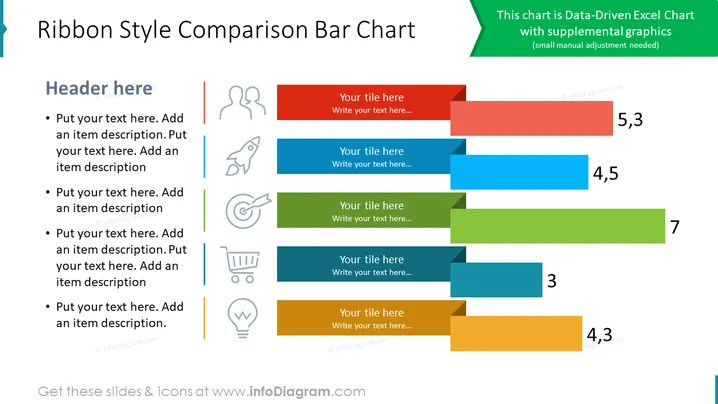
##Slide content: This ribbon bar chart PPT is a great way to compare different projects or steps for setting up. Add representative icons for each segment for better visualization and summarizing rich text into a few simple words. All the graphics are editable so you can adjust them based on your company logo colors. Just ensure that the lines splitting the text correspond with the ribbon color from the right-hand side to avoid confusion. You can reuse this slide for several projects by just changing the text and a bit of the shape of the elements. The slide is compatible with other software such as Google Slides and Keynote. Click on the picture to see the whole Creative Bar Charts and Shares Infographic PowerPoint Template presentation.
##Slide infographic description:
Data-Driven Excel Chart, Ribbon Bar Chart, Bullet Points, Outline Icons, Color Coding, Bulb Idea Icon, Shopping Cart Trolley Icon, Dart Icon, Rocket Launch Icon, People Icon
How to Edit
How to edit text & colors

How to expand / shorten diagram

How to Replace Icons in infoDiagram PPT


