
Reviews
Ihre Grafiken verleihen meinen Präsentationen eine nette Note, und ich habe sie kürzlich für eines meiner All-Hands-Meetings verwendet. Ihre Toolbox verleiht meinen Folien Professionalität, anstatt Standard-Clipart zu verwenden.
Ich brauchte einen neuen Blick auf einige meiner Folien. Ich habe versucht, einen Weg zu finden, einen Pinselschlag-Effekt zu erzielen, um zu unterstreichen, hervorzuheben, Farbe hinzuzufügen, und die handgeschriebenen Markierungen waren genau das Richtige. Sehr einfach zu bedienen, leicht in der Größe zu ändern, die Farbe zu ändern. Es war eine erschwingliche, perfekte Lösung und ich empfehle sie gerne weiter.
Die klare, saubere Optik der Grafiken und die Tatsache, dass ich die Farben leicht bearbeiten und an die Vorlage anpassen konnte, war mein Hauptgrund für den Kauf.
Description
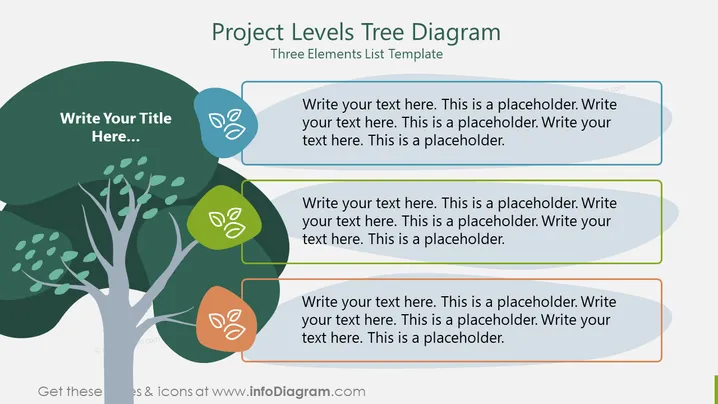
Project Levels Tree Diagram
Slide Content:
The PowerPoint slide is titled "Project Levels Tree Diagram" and serves as a three elements list template. It seems to be designed for organizing and presenting hierarchical information or different levels within a project. Each 'leaf' on the tree represents a point of discussion or a level in the project structure, with placeholder text indicating where detailed descriptions should be inputted. This template could be used to show the breakdown of a project into its core components, phases, or specific tasks.
Graphical Look:
- The slide has a white background with a large tree graphic on the left.
- The tree has various shades of green for the leaves, with lighter shades at the top and darker shades at the bottom.
- Each leaf is overlaid with a text box containing placeholder text for input.
- The text boxes are shaped with soft curves and have a different color outline for each (blue, green, and orange).
- Small leaf icons within the text boxes match the color of their respective outline.
- The slide has a clean, organic design with a tree used as the main visual element.
The overall look of the slide is creative and thematic, with the tree metaphor visually representing the growth or development stages of a project. The design is simple and uses color-coding to distinguish between the different points or levels.
Use Cases:
- For presenting the different stages of a project's lifecycle in a project management meeting.
- To outline the hierarchy of a team or project tasks during a workshop.
- In educational settings, to explain the breakdown of a subject into main topics.
- During strategic planning sessions to visualize the components of a business plan.
How to Edit
How to edit text & colors

How to expand / shorten diagram

How to Replace Icons in infoDiagram PPT


