
Reviews
Your graphics add a nice touch to my presentations and I recently used them for one of my all-hands meetings. Your toolbox adds professionalism to my slides. Instead of using standard clipart.
I needed a fresh look at some of my slides. I've tried to find a way to create a paintbrush effect, to underline, accentuate, add some color and the handwritten markers were just the things. Very easy to use, easy to size, change the color. It was an affordable, perfect solution and I'm happy to recommend it.
The crisp, clean look of the graphics, and the fact that it allowed me to easily edit and change the colors to match the template was my main reason for purchasing them.
Description
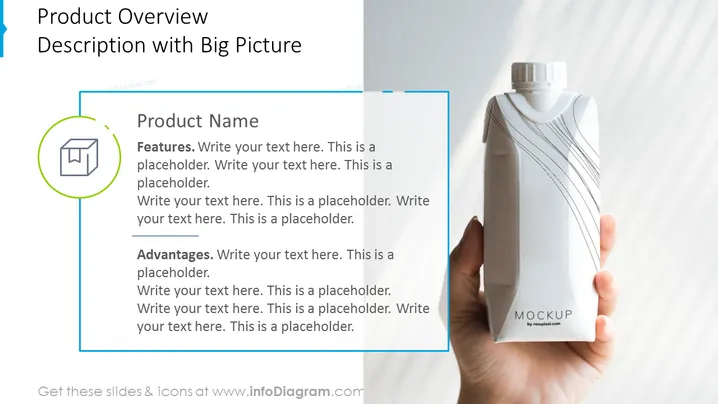
Product Overview - Description with Big Picture
Slide Content:
The slide is tailored for a detailed description of a product, including an area to insert the product's name, its features, and advantages. On the right side of the slide, there's space for a large product image, which in this case, shows a hand holding a bottle with a "MOCKUP" label. The layout is designed to provide a comprehensive overview of a product, combining textual information with a visual representation to make the details more tangible.
Graphical Look:
- A green circular icon with a box image on the left side, possibly denoting the product or packaging.
- A large, clear image of a product held in a hand occupies the right side of the slide.
- The color scheme is minimalistic, with green and blue as the primary colors against a white background.
- The layout is balanced, with the icon and text on the left and the product image on the right.
The slide has a clean, professional look with a clear division between text and imagery, allowing for an easy-to-digest product presentation.
Use Cases:
- In a product launch presentation to introduce a new product and its unique features.
- During sales meetings to provide a detailed explanation of a product's benefits.
- In marketing materials to visually and textually communicate a product's selling points.
- At trade shows or pitches to potential distributors or retailers.
How to Edit
How to edit text & colors

How to expand / shorten diagram

How to Replace Icons in infoDiagram PPT


