
Reviews
Ihre Grafiken verleihen meinen Präsentationen eine nette Note, und ich habe sie kürzlich für eines meiner All-Hands-Meetings verwendet. Ihre Toolbox verleiht meinen Folien Professionalität, anstatt Standard-Clipart zu verwenden.
Ich brauchte einen neuen Blick auf einige meiner Folien. Ich habe versucht, einen Weg zu finden, einen Pinselschlag-Effekt zu erzielen, um zu unterstreichen, hervorzuheben, Farbe hinzuzufügen, und die handgeschriebenen Markierungen waren genau das Richtige. Sehr einfach zu bedienen, leicht in der Größe zu ändern, die Farbe zu ändern. Es war eine erschwingliche, perfekte Lösung und ich empfehle sie gerne weiter.
Die klare, saubere Optik der Grafiken und die Tatsache, dass ich die Farben leicht bearbeiten und an die Vorlage anpassen konnte, war mein Hauptgrund für den Kauf.
Description
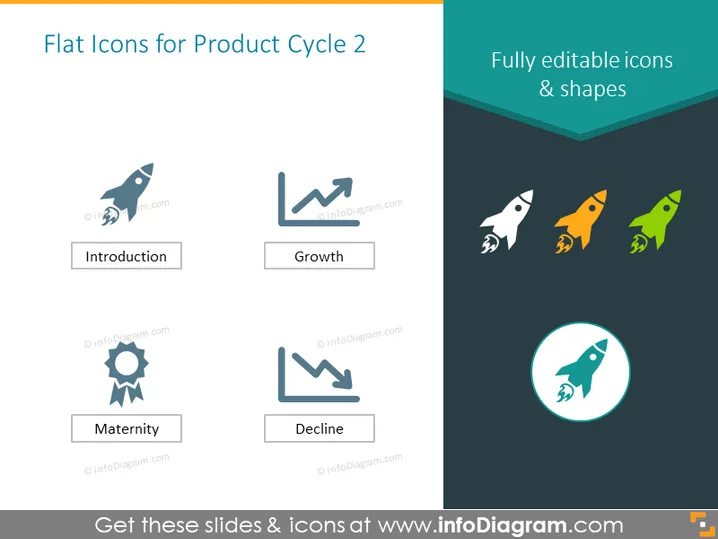
Flat Icons for Product Cycle 2
Slide Content
The slide appears to represent four stages of a product lifecycle: Introduction, Growth, Maturity, and Decline. Each stage is accompanied by a corresponding icon: a rocket ship for "Introduction," suggesting the launch or initiation; an upward trend graph for "Growth," indicating improvement or success; a ribbon medal for "Maturity," implying achievement or stability; and a downward trend graph for "Decline," denoting a reduction or deterioration in performance.
Graphical Look
- The slide has a light background with four icons evenly spaced in a grid pattern.
- Each icon is in a different shade, with the "Introduction" and "Growth" icons having cooler hues, and the "Maturity" and "Decline" icons having warmer tones.
- All icons are flat design style, providing a modern and clean visual aesthetic.
- Each icon is placed inside a circular frame except the "Growth" and "Decline" icons, which are only accompanied by rectangles with rounded corners.
- The slide has a muted blue banner at the top with the slide title in white text.
- The icons are paired with labels underneath each, clearly identifying the corresponding product cycle stage.
The overall look of the slide is professional with a minimalist design that emphasizes clarity and simplicity.
Use Cases
- To introduce stages of a product's lifecycle in a business or marketing presentation.
- For training materials explaining the concept of product maturity and market dynamics.
- As a visual aid in strategy meetings when planning for product development or portfolio management.
- To embellish business plan documents or investment pitches that outline the life stages of a product or service.
How to Edit
How to edit text & colors

How to expand / shorten diagram

How to Replace Icons in infoDiagram PPT


