

Your graphics add a nice touch to my presentations and I recently used them for one of my all-hands meetings. Your toolbox adds professionalism to my slides. Instead of using standard clipart.
Claude Jones, Director of Engineer, @Walmartlabs, USA

Your graphics add a nice touch to my presentations and I recently used them for one of my all-hands meetings. Your toolbox adds professionalism to my slides. Instead of using standard clipart.
Claude Jones, Director of Engineer, @Walmartlabs, USA
I needed a fresh look at some of my slides. I've tried to find a way to create a paintbrush effect, to underline, accentuate, add some color and the handwritten markers were just the things. Very easy to use, easy to size, change the color. It was an affordable, perfect solution and I'm happy to recommend it.
Anonymous, US
The crisp, clean look of the graphics, and the fact that it allowed me to easily edit and change the colors to match the template was my main reason for purchasing them.
Brandie Jenkins, E-learning Developer, USA
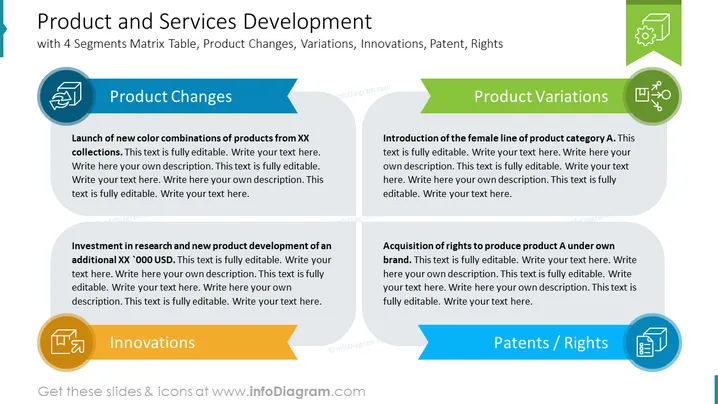
The slide presents a 4-part matrix focused on different aspects of product and services development: Product Changes, Product Variations, Innovations, and Patents/Rights. Each segment includes a placeholder for a description that exemplifies each aspect: "Launch of new color combinations of products," showcasing product variations through color updates; "Introduction of the female line of product category A," highlighting demographic-specific product variations; "Investment in research and new product development," denoting financial commitment to innovation; and "Acquisition of rights to produce product A under own brand," illustrating the securing of intellectual property and branding rights.
The slide has a clean, professional look with a touch of color to distinguish different sections. The use of icons provides visual cues for each topic area, and the layout is organized to guide a viewer through the content systematically.



